- Open the course
- Click Content > Courses in the left menu.
- Click the course title. The course preview opens.
- Click the Details tab
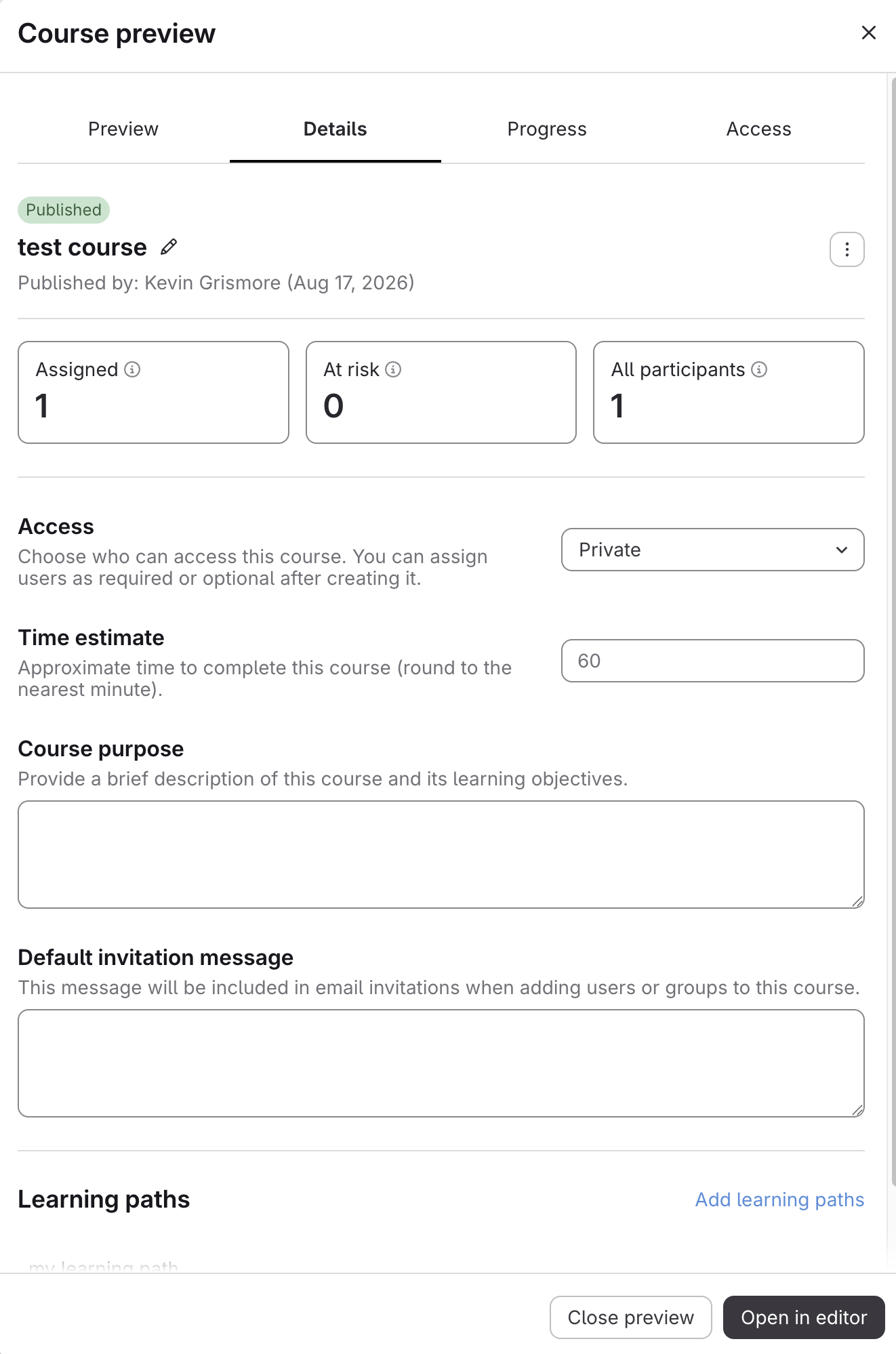
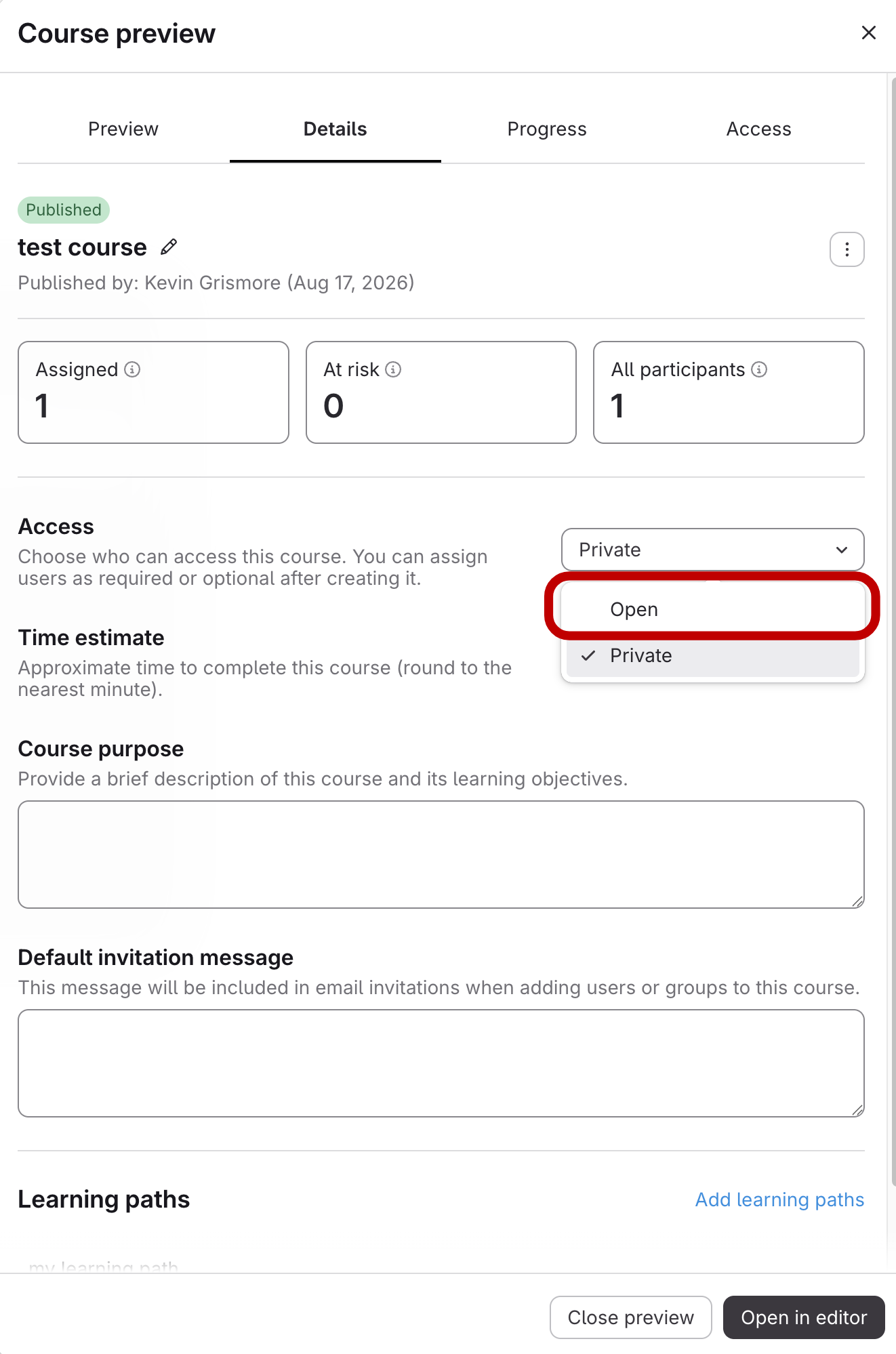
- Set Access to Open
Select Open under Access. The change saves right away.
Making a Course Visible to All Users with Course Catalog Access
Updated on