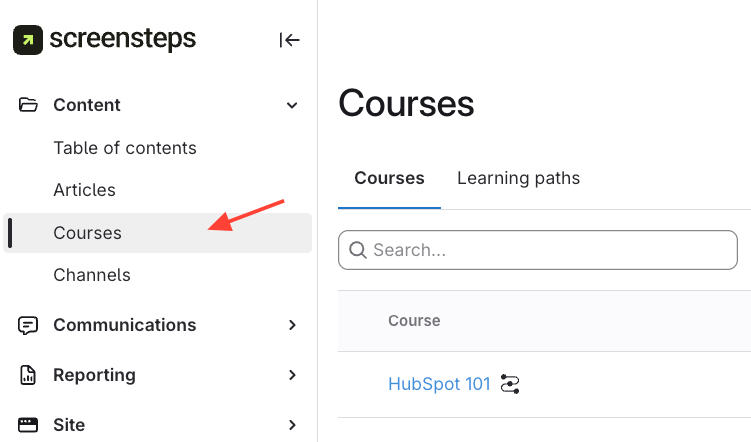
- Navigate to Courses
- Navigate to the Content section
- Click the Courses tab on the left.
- Publish/ Unpublish Course
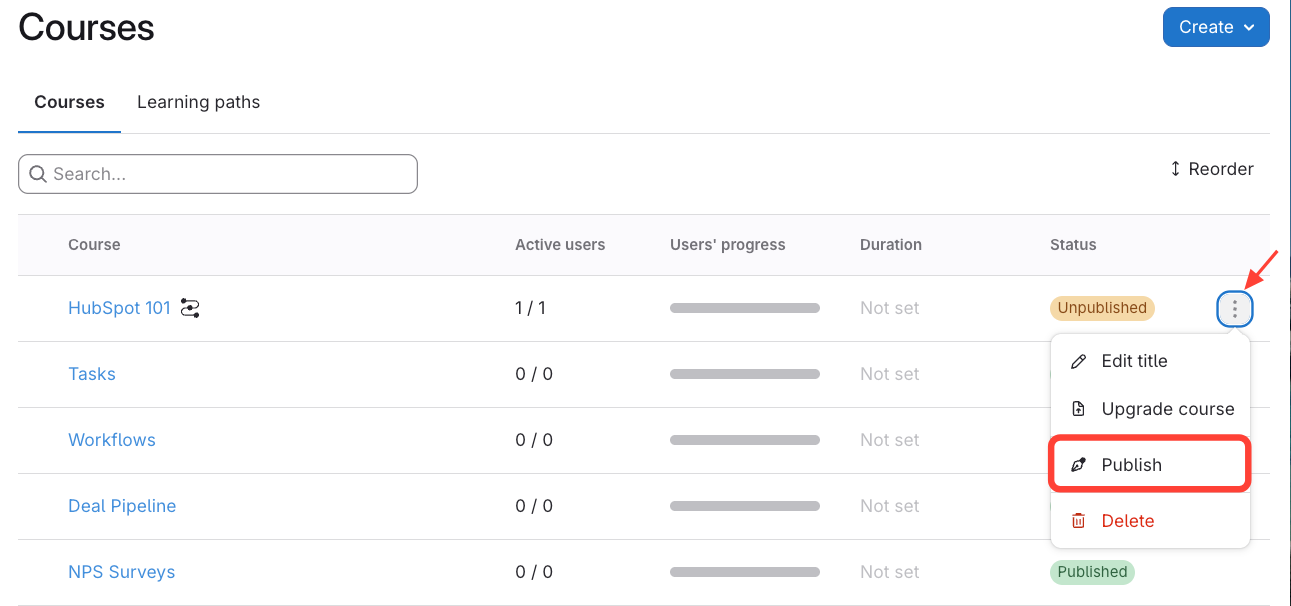
- Publish
- Click the three dots next to your course.
- Select Publish (this option will only show up if the course is unpublished).
- Unpublish
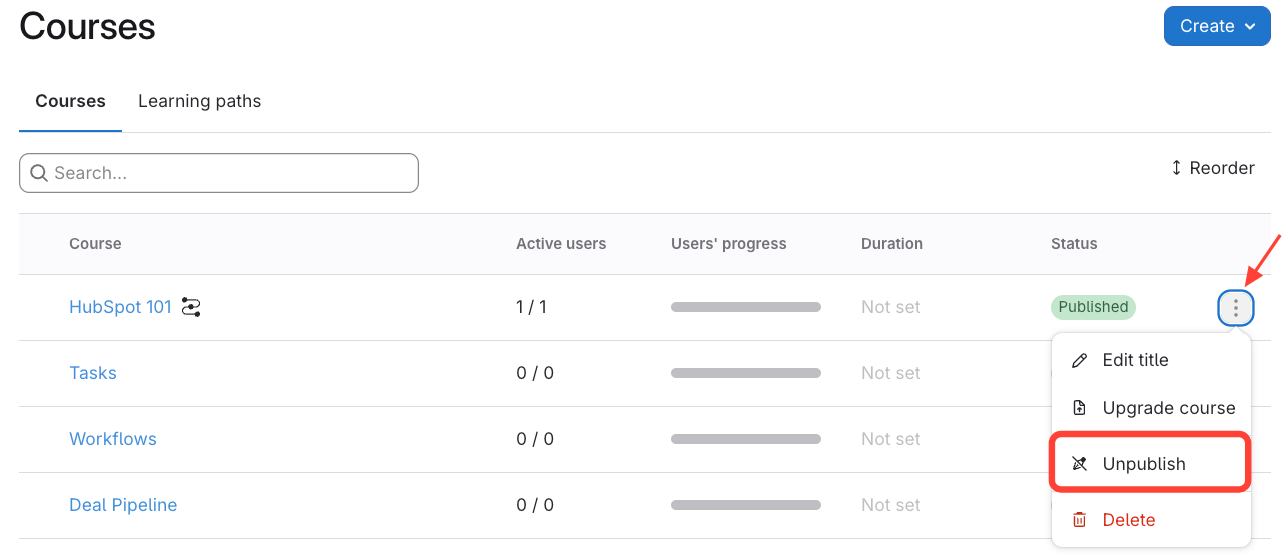
- Click the three dots next to your course.
- Select Unpublish (this option will only show up if the course is published).
- Publish