Skip to content
ScreenSteps Help
Search guides and tutorials...
Search guides and tutorials...
ScreenSteps Help
/
Courses
/
Using ScreenSteps Courses
How to Create a Course
Updated on
Feb 02, 2026
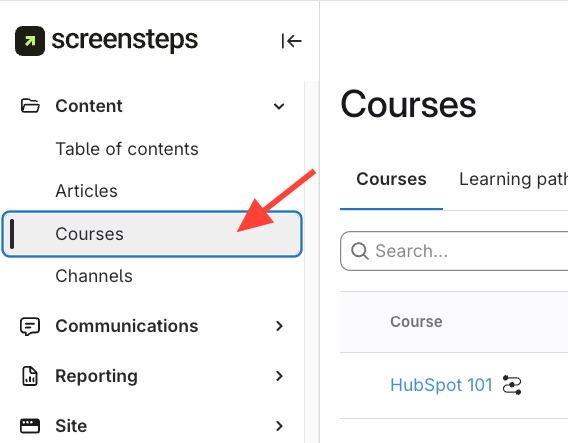
Navigate to Courses
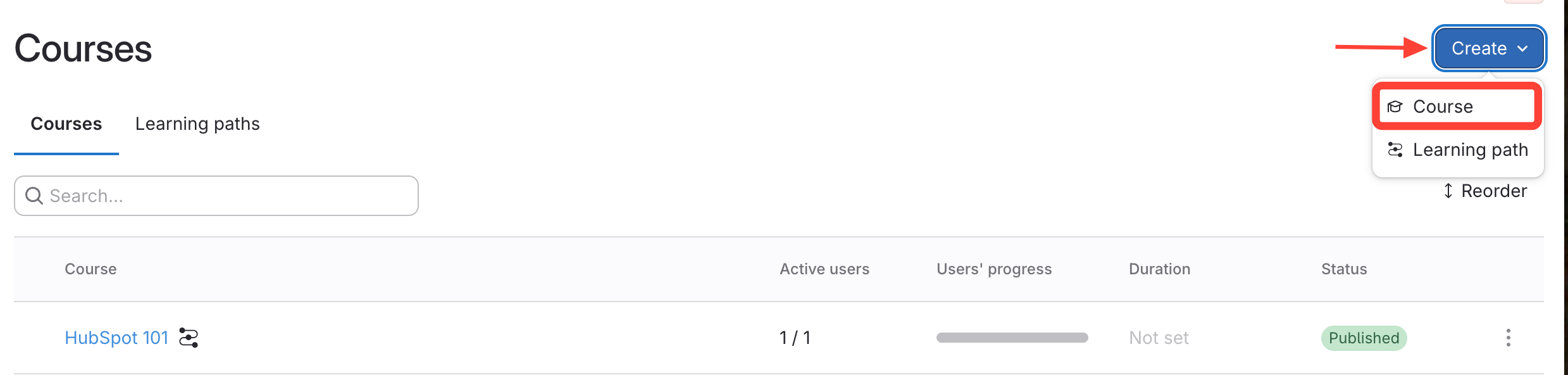
Open Create a Course
Click Create
at the top right.
Select Course
from the drop-down.
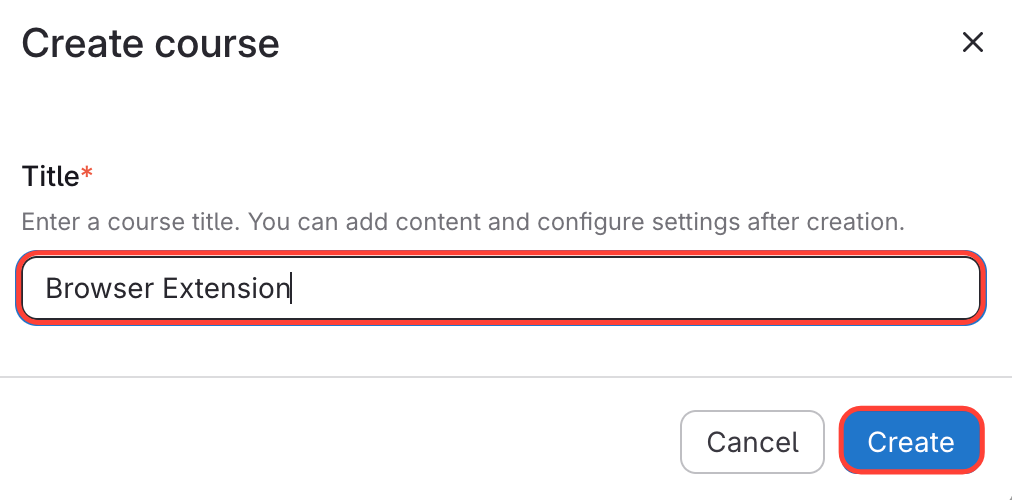
Name & Create a New Course
Name the Course
Click
Create
Checklist item
Previous Article
How to Enable Courses for a Site
Next Article
Checklist item
How to Add Users to Your Course
Courses
Overview of Courses
1
What are Courses and What Functionality Do They Have?
Using ScreenSteps Courses
12
How to Enable Courses for a Site
How to Create a Course
How to Add Users to Your Course
How to Publish/Unpublish Your Course
How to Reorder Your Courses
How to View Course Reports (e.g. Who Completed the Courses)
How to Receive an Email Each Time Someone Completes Your Course
How to change the name of your course
How to Edit an Existing Course
How to Remove Users from a Course
Why Isn't My Published Course Appearing on the Courses Page?
How to upload a video to a course
Learning Paths
6
What is a Learning Path and How is it Used?
How to Create a Learning Path
How to Add Users to a Learning Path
How to Remove Users from a Learning Path
How to Add Courses to a Learning Path
How to Remove Courses from a Learning Path
Other Resources
Getting Started
Organizing ScreenSteps
Managing Articles
Authoring Content
Working with a Team of Authors
Customize Your Site
PDFs
Admin Tasks
User and Group Permissions
Authentication (SSO, SCIM, SAML, Usernames, Passwords)
Accessibility
Integrations
Notifications
Browser Extension (Contextual Help)
FAQs
Migrating to the New Version of ScreenSteps
Print Article