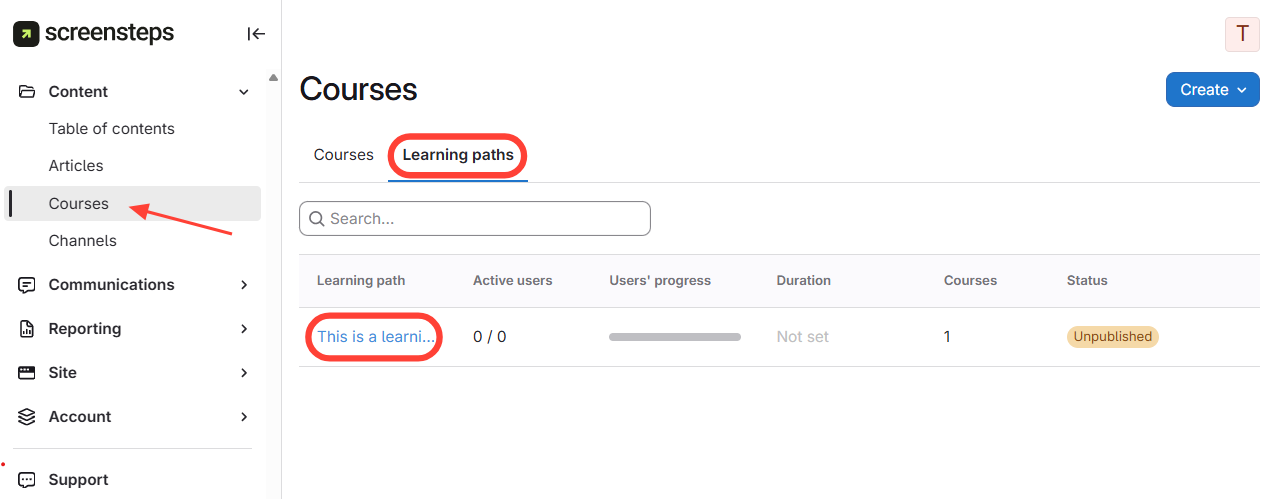
- Navigate to Learning Paths
- Click Courses on the left menu.
- Select Learning Paths.
- Click the desired learning path.
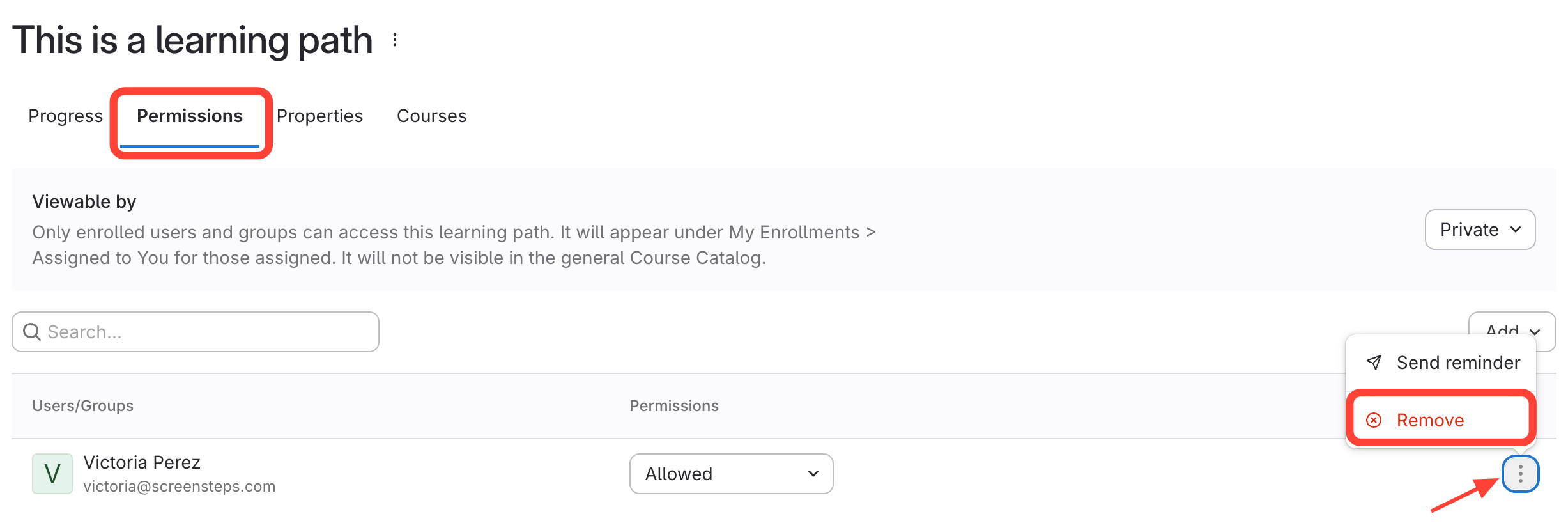
- Remove User
- Go to Permissions.
- Click the action menu (i.e. three dots)next to the User's name.
- Click Remove.
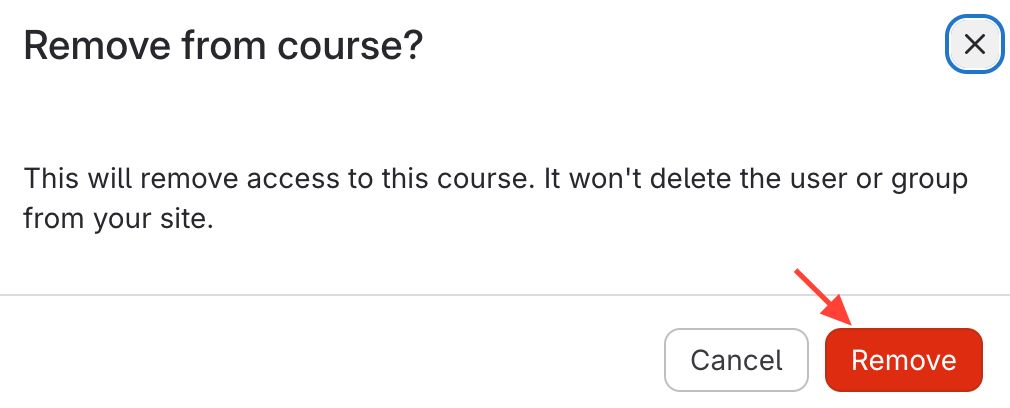
- Confirm Removal
Updated on