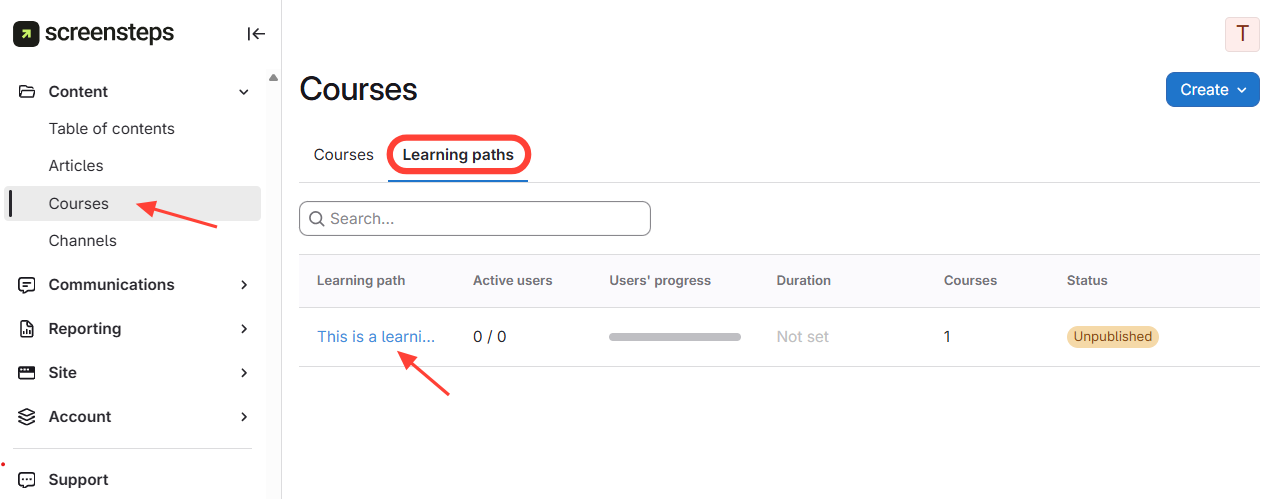
- Navigate to Learning Paths
- ClickCourses on the left menu.
- SelectLearning Paths.
- Click the desired learning path.
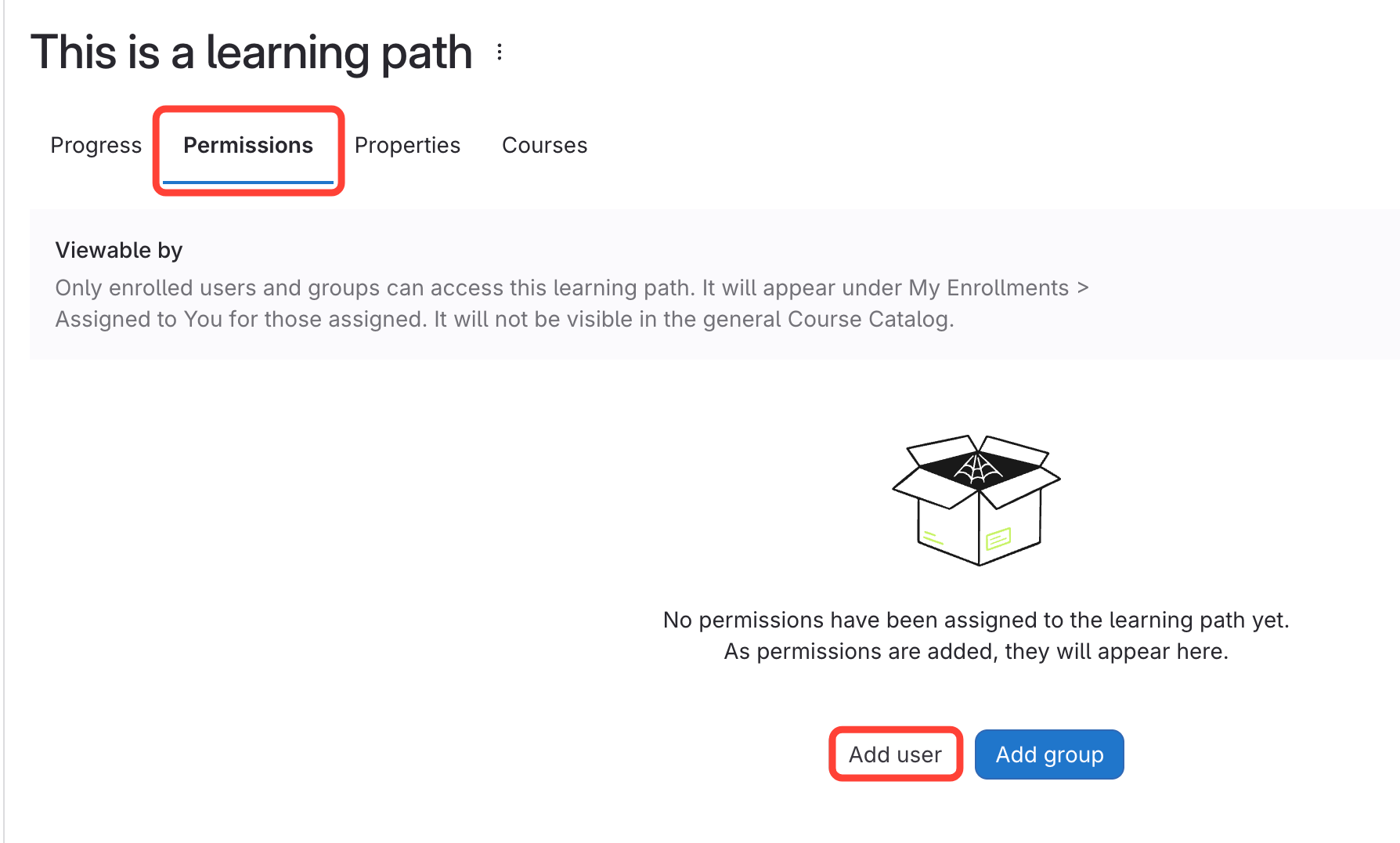
- Add User
- Go toPermissions.
- ClickAdd User.
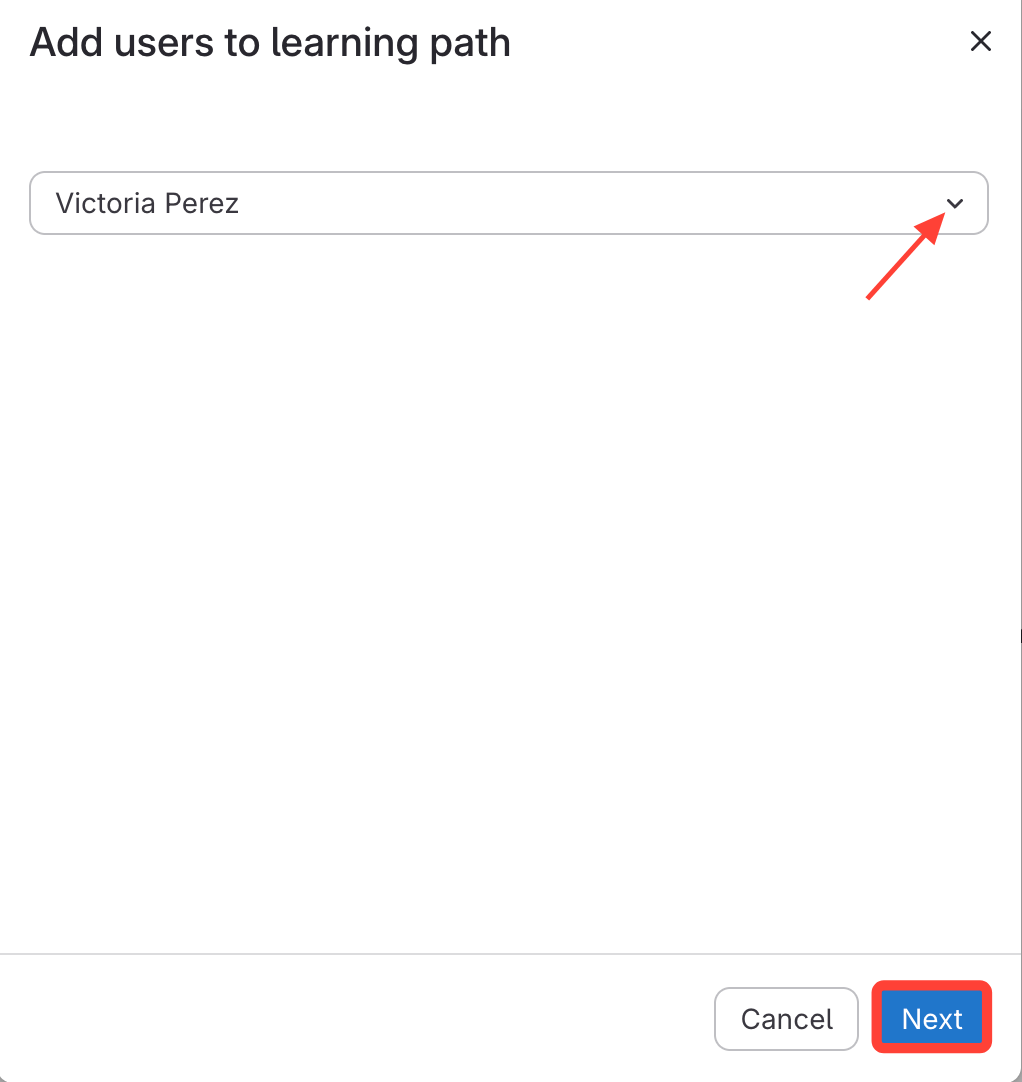
- Select User
- Select the user from the dropdown.
- ClickNext.
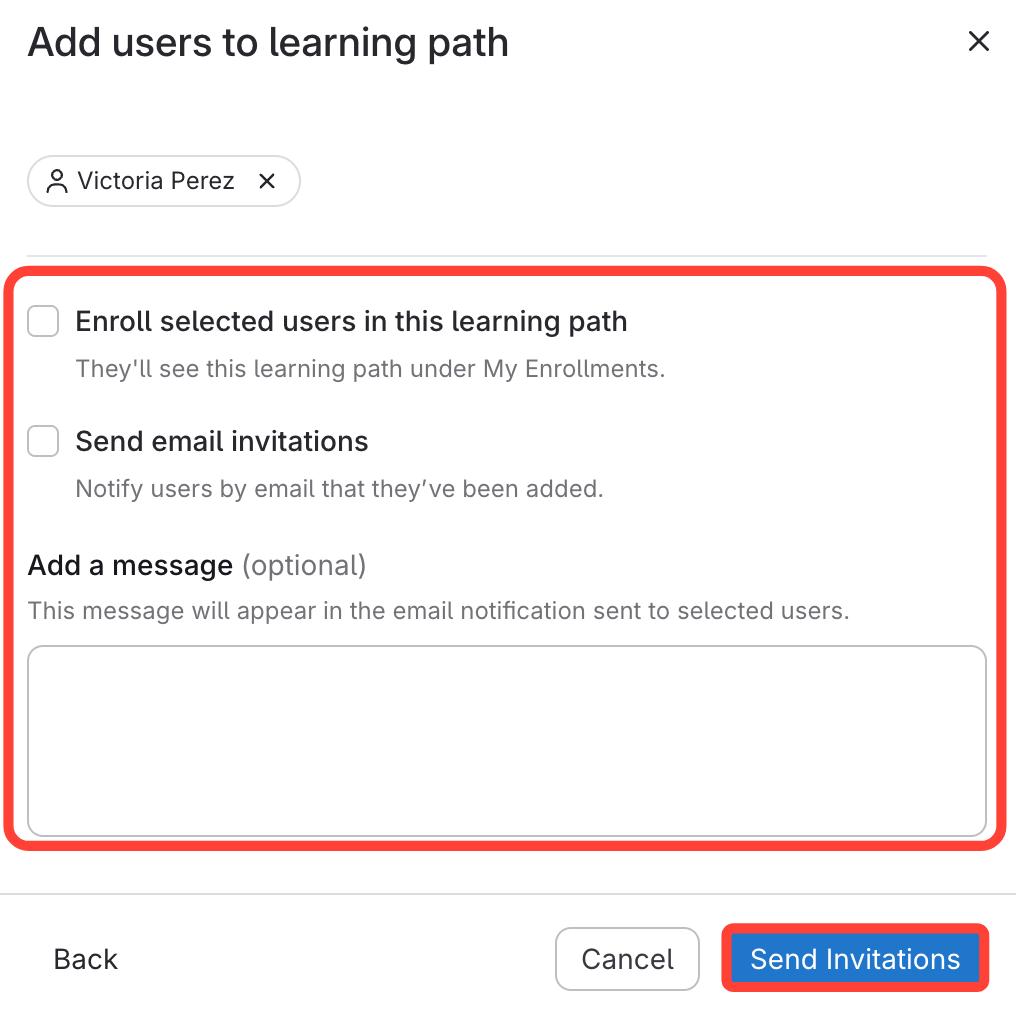
- Send Invitation to User
- Choose your preferences:
- Enroll user in this learning path
- Send email invitation
- Add a message (optional)
- Click Send Invitations.
- Choose your preferences: