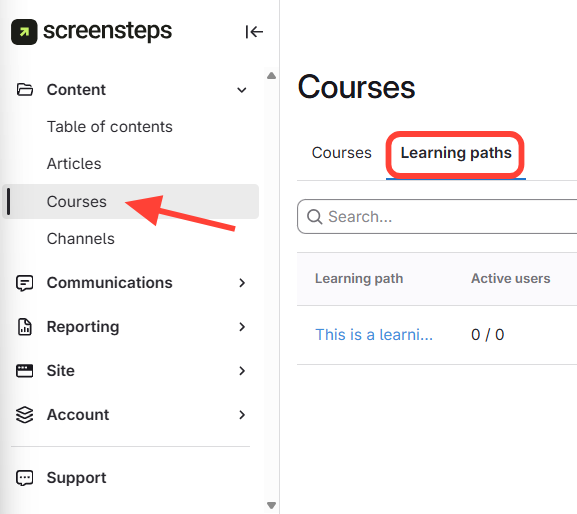
- Navigate to Learning Paths
- Click Courses on the left side menu.
- Click Learning Paths.
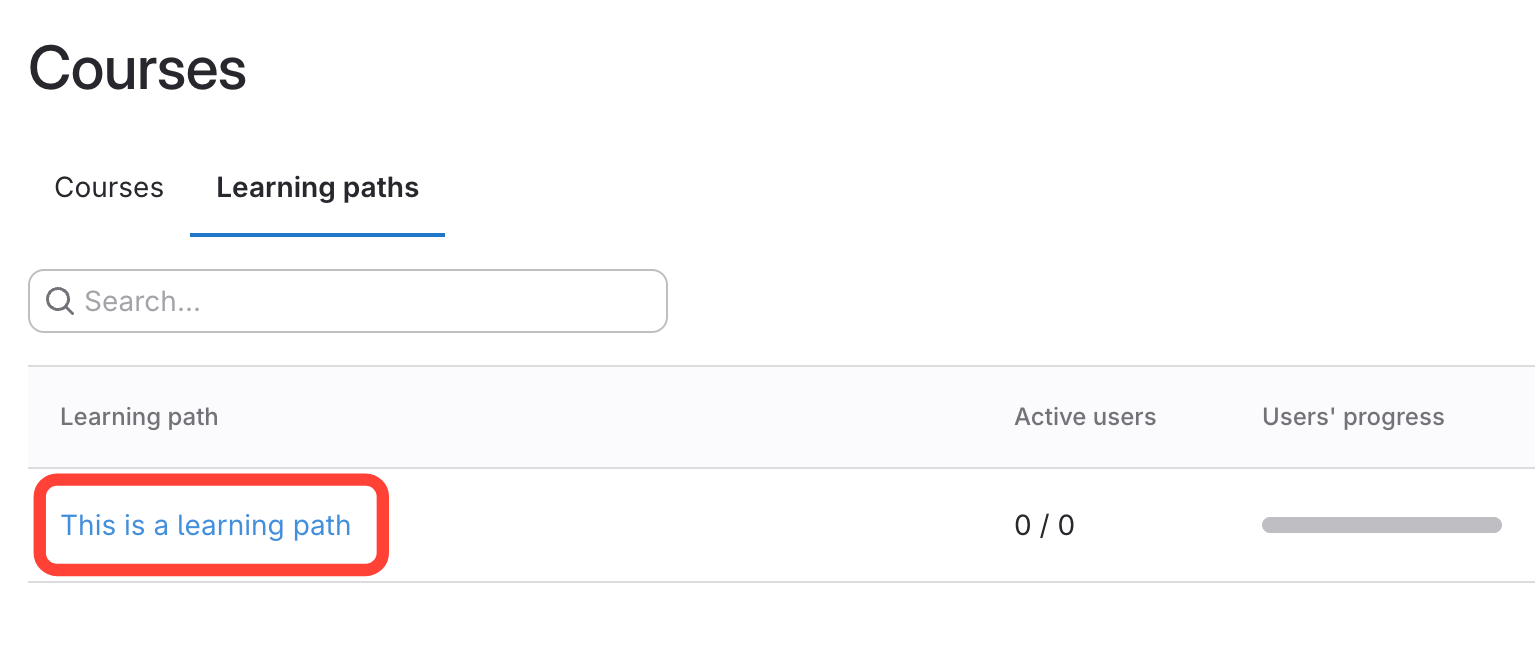
- Select the title of the learning path you want to edit
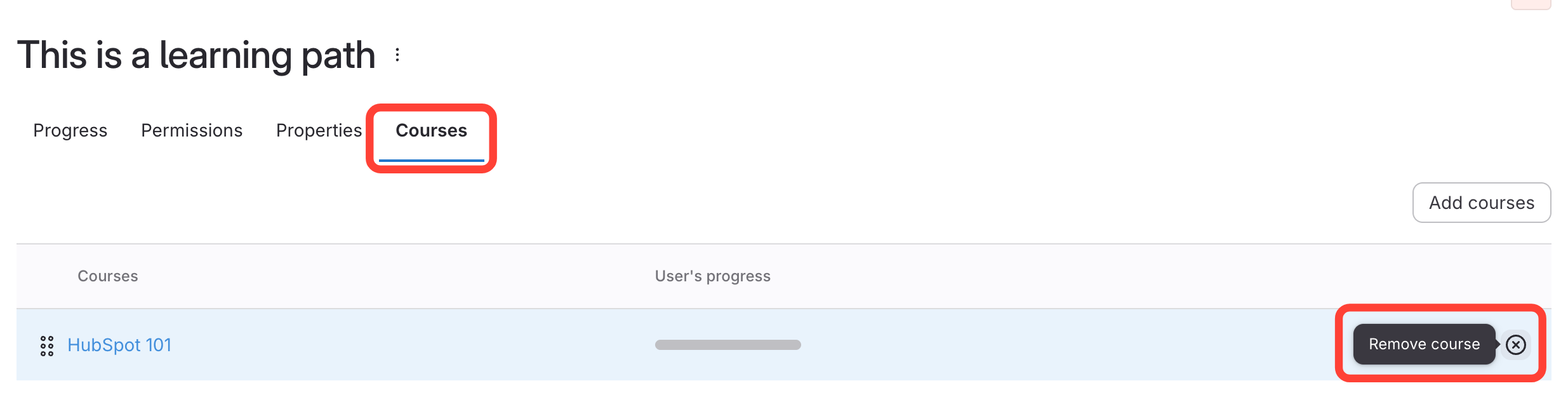
- Remove Course
- Click the Courses tab.
- Click the 'x'.
How to Remove Courses from a Learning Path
Updated on
Updated on