Skip to content
ScreenSteps Help
Search guides and tutorials...
Search guides and tutorials...
ScreenSteps Help
/
Getting Started
/
The What
Open ScreenSteps courses from Admin Center
Updated on
Mar 06, 2026
Open the Admin Center for your site
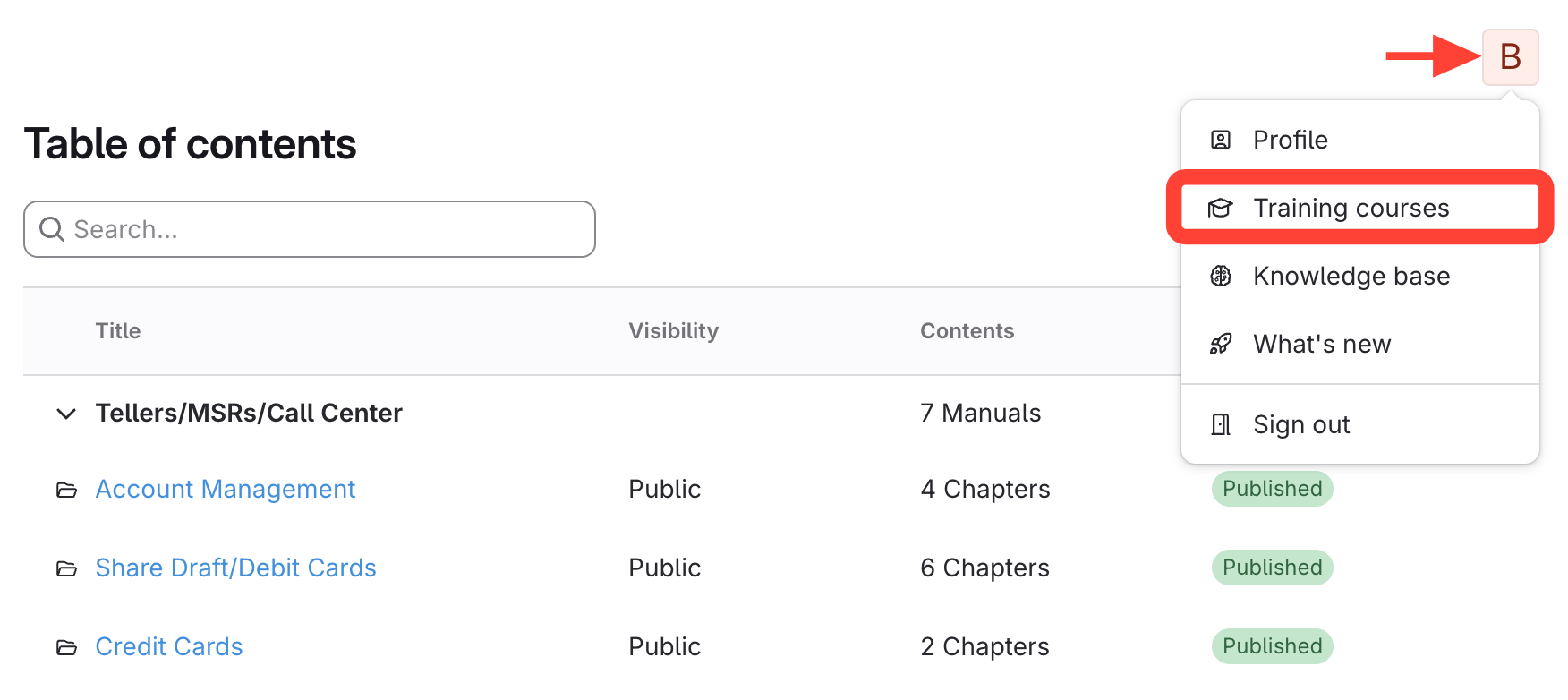
Click your initial > Training courses
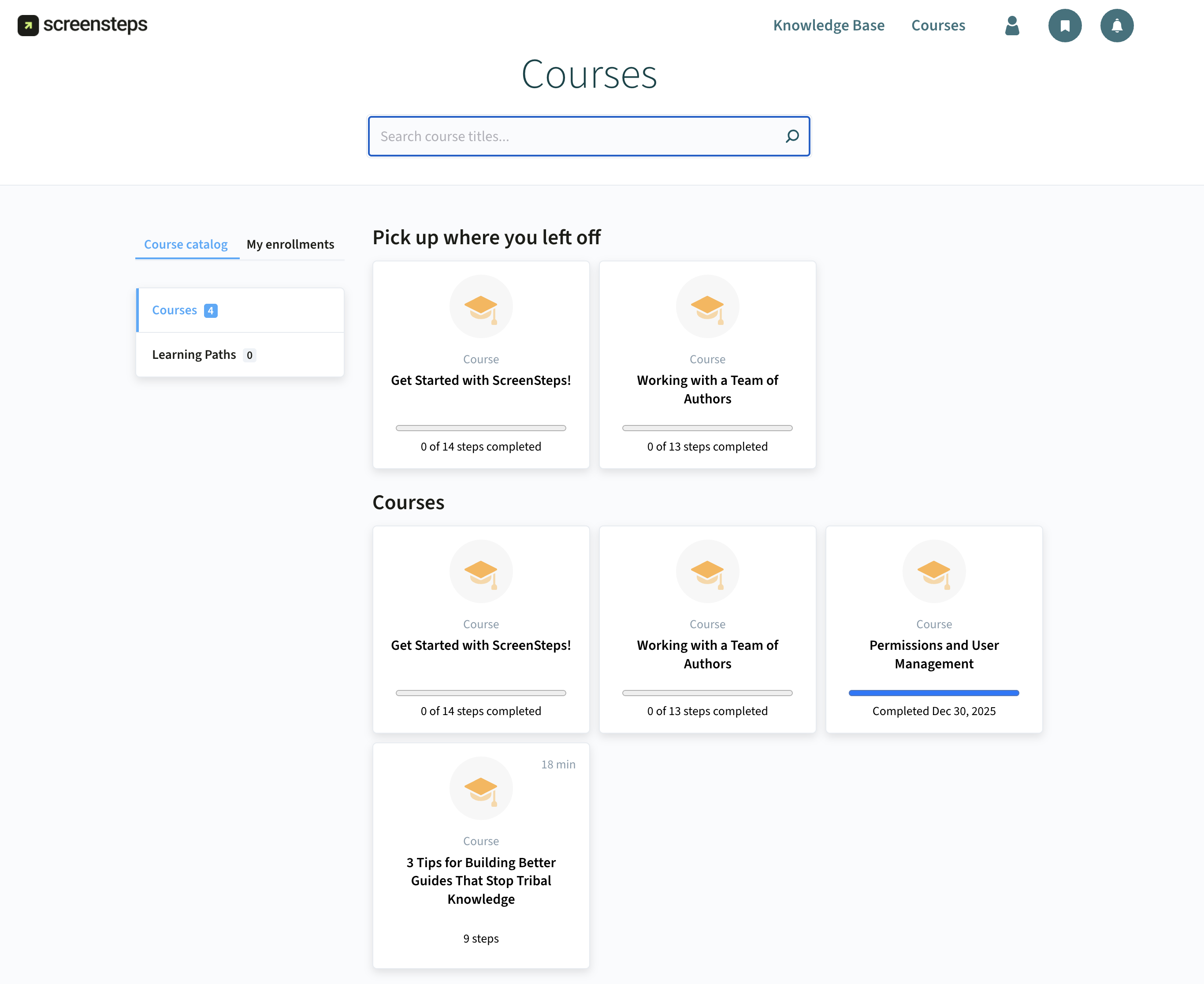
Open and start a course
Checklist item
Previous Article
What is Clarify AI?
Next Article
Checklist item
Using ScreenSteps to Reduce Escalations
Getting Started
The What
8
What is Find & Follow?
What is Knowledge Ops?
What is a Knowledge Ops Platform?
What is ScreenSteps?
What is an Actionable Article?
What is Foundational Knowledge?
What is Clarify AI?
Open ScreenSteps courses from Admin Center
The Why
4
Using ScreenSteps to Reduce Escalations
Using ScreenSteps to Bring Consistency
Using ScreenSteps to Onboard New Employees
Using ScreenSteps to Roll Out New Technology
The How
12
Overview of Migrating Your Existing Content into ScreenSteps
Overview of Using Clarify AI to Add Content to an Article
Overview of Using Clarify Assistant to Create Content from Scratch
Overview of using Clarify Create to Create Content from Scratch
Overview of Using Clarify Transform to Optimize Guides
Overview of Using Clarify Transform to Repurpose Meeting/Video Transcripts
How Your Employees Will Use ScreenSteps
How Your Employees Will Help You Improve ScreenSteps
How You Will Use Data to Help You Improve ScreenSteps
How to Send us Documentation Ready for Import
What is the Process We Follow to Import Existing Documentation?
Overview of Migrating from Legacy ScreenSteps to New ScreenSteps (Including Key Differences)
Other Resources
Organizing ScreenSteps
Managing Articles
Authoring Content
Working with a Team of Authors
Customize Your Site
PDFs
Admin Tasks
User and Group Permissions
Authentication (SSO, SCIM, SAML, Usernames, Passwords)
Accessibility
Migrating from Legacy to New ScreenSteps
Integrations
Notifications
Browser Extension (Contextual Help)
FAQs
Courses
Print Article