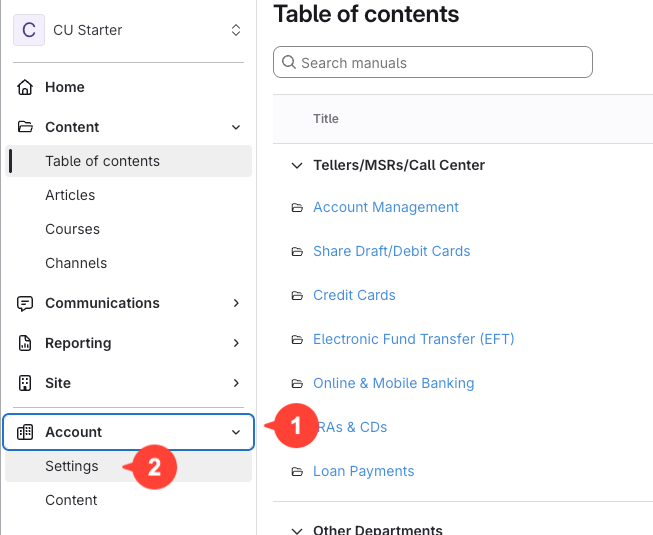
- Go to Account Settings
Click Account > Settings in the navigation menu.
- Open the Users section
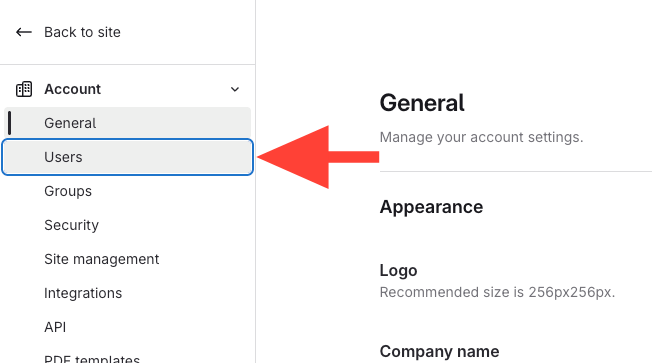
Click Users in Account Settings.
- Select the user
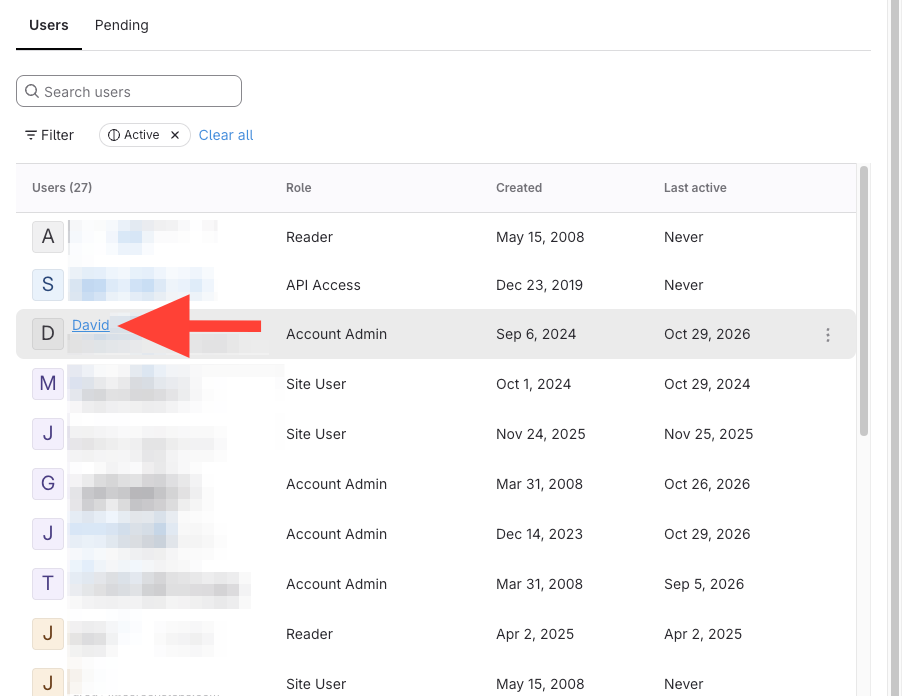
- Find the user (you can use search)
- Click their name.
- Open the Subscriptions tab
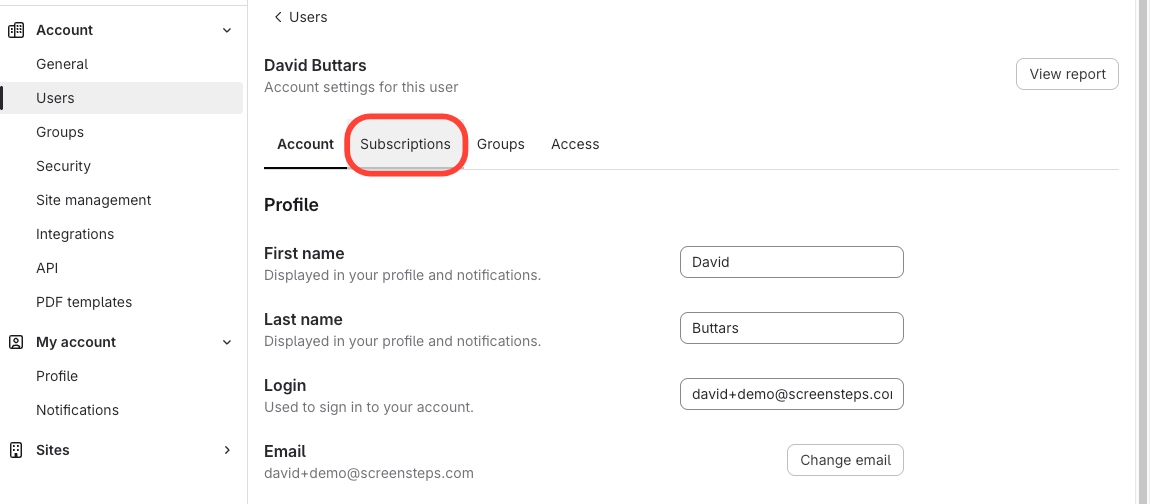
Click Subscriptions for the selected user.
- View the user's notification settings
See the user's notification type, activities that trigger notifications, and delivery method.
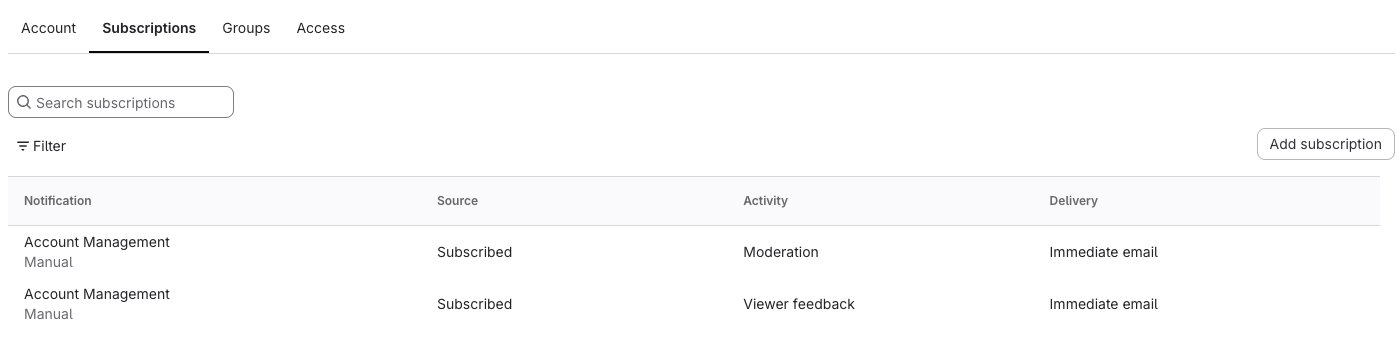
How to View a User's Notification Settings
Updated on