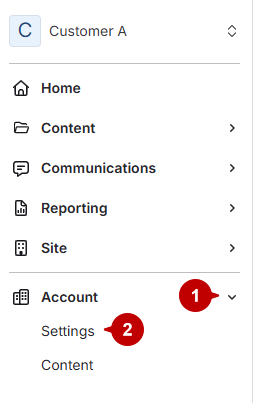
- Open account settings
- Click Accounts.
Click Settings under Accounts.
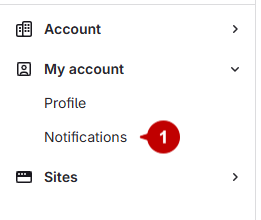
- Access notifications
Select Notifications under My Account.
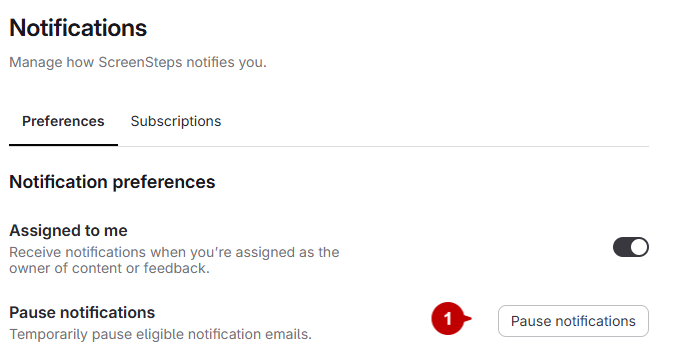
- Pause notifications
- Click the pause notifications button.
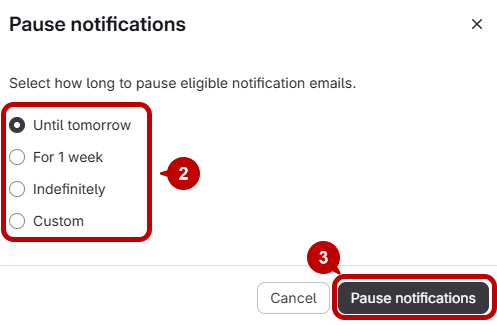
- A window will appear with options for how long to pause notifications.
- Select your preferred duration.
- Click pause notifications to confirm.