Skip to content
ScreenSteps Help
Search guides and tutorials...
Search guides and tutorials...
ScreenSteps Help
/
Notifications
/
Using Notifications
How to Export a Report of Who Has Acknowledged Notifications
Updated on
Feb 04, 2026
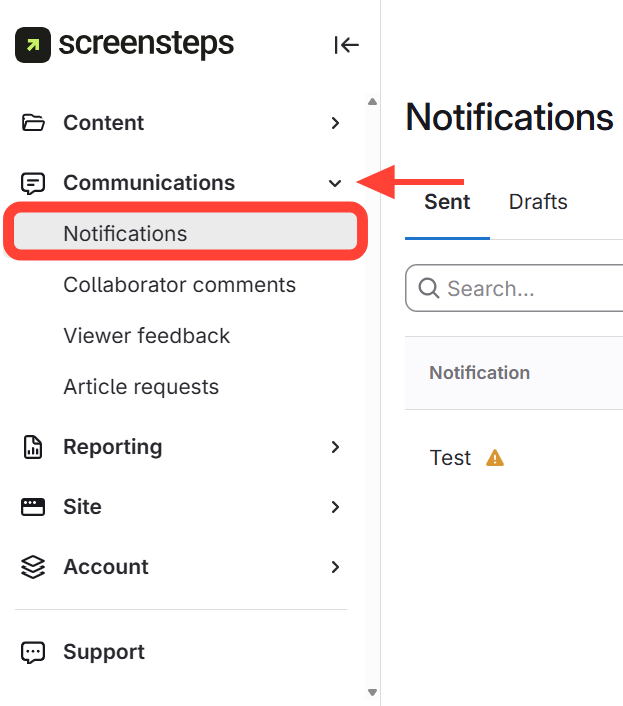
Navigate to Notifications in the sidebar
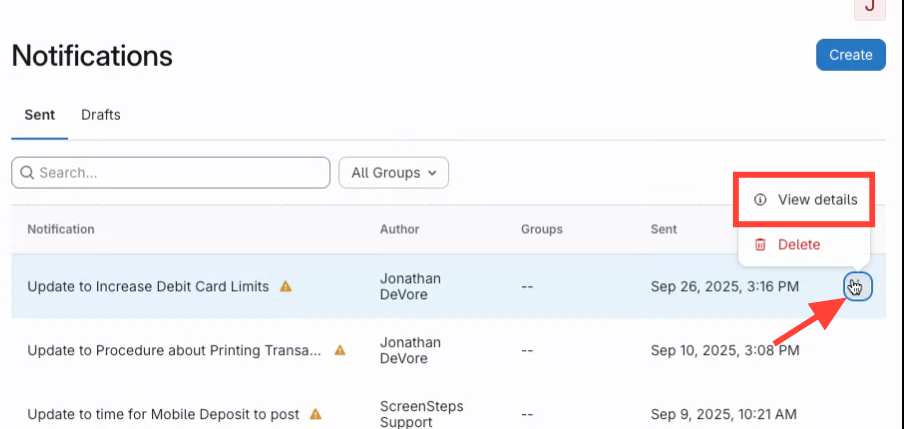
View details
Click the Action menu next to the notification you want
Select
View Details
.
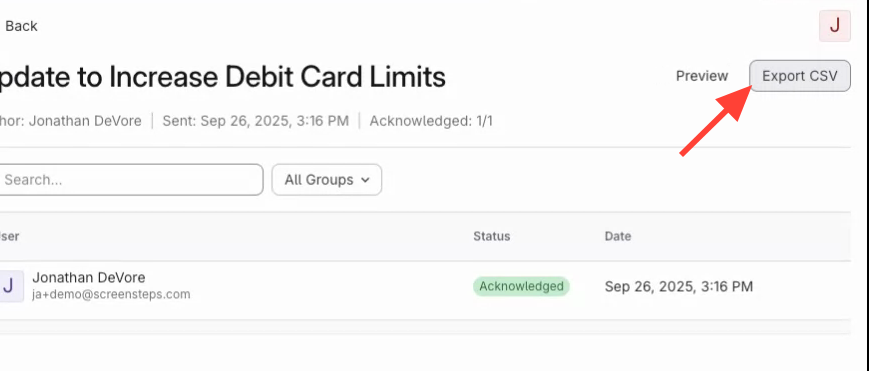
Click Export CSV to download the report
Checklist item
Previous Article
How to Review Who Has Acknowledged Notifications
Next Article
Checklist item
Understanding Notification Subscriptions
Notifications
Notifications Overview
2
What are Notifications?
Can I Unsend Notifications?
Using Notifications
3
How to Create/Send a New Notification
How to Review Who Has Acknowledged Notifications
How to Export a Report of Who Has Acknowledged Notifications
Subscriptions
6
Understanding Notification Subscriptions
How to Subscribe to Notifications for a Manual/Chapter/Article
How to Subscribe to Notifications for a Site
How to Pause or Mute Notifications
How to Get Notified When You Are Assigned as an Owner of Content
How to Resume Notification After Pausing Them
Other Resources
Getting Started
Organizing ScreenSteps
Managing Articles
Authoring Content
Working with a Team of Authors
Customize Your Site
PDFs
Admin Tasks
User and Group Permissions
Authentication (SSO, SCIM, SAML, Usernames, Passwords)
Accessibility
Integrations
Browser Extension (Contextual Help)
FAQs
Courses
Migrating to the New Version of ScreenSteps
Print Article