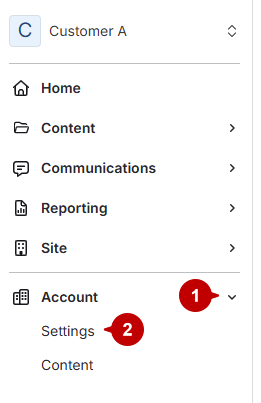
- Open account settings
- Click Accounts.
Click Settings under Accounts.
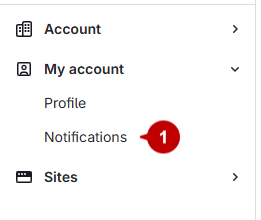
- Access notifications
Select Notifications under My Account.
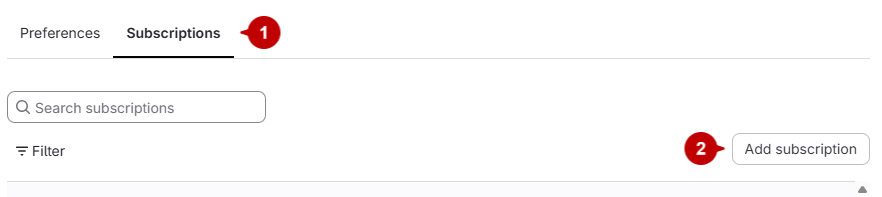
- Add a subscription
- Navigate to the Subscriptions menu.
Click the Add Subscription button on the right.
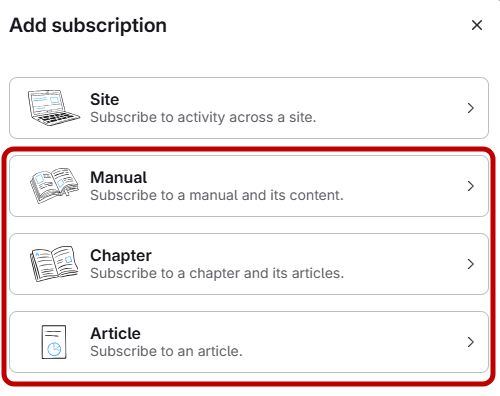
- Choose content type
Select whether to subscribe to a manual, chapter, or article.
- Find the specific manual, chapter, or article by searching or browsing.
- Click the desired item, then click Next.
- Set notification preferences
- Check the boxes for the notifications you want:
- Moderation: Feedback awaiting your review.
- Viewer feedback posted: Viewer feedback posted to the content.
2. Click Subscribe.
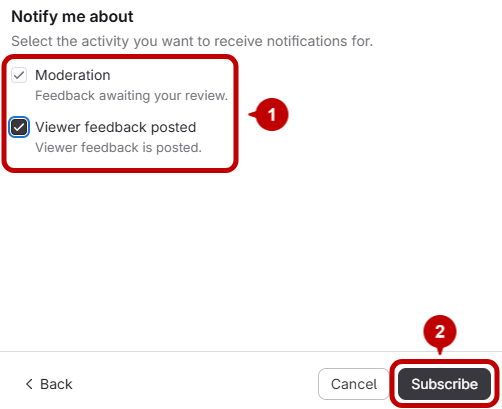
- Check the boxes for the notifications you want:
How to Subscribe to Notifications for a Manual/Chapter/Article
Updated on