ScreenSteps supports user group assignment via the SAML Assertion that an IDP sends to ScreenSteps when a user logs in. To turn this feature on the Manage each user's groups through IDP checkbox needs to be checked in the Identity Provider (IDP) configuration in ScreenSteps.
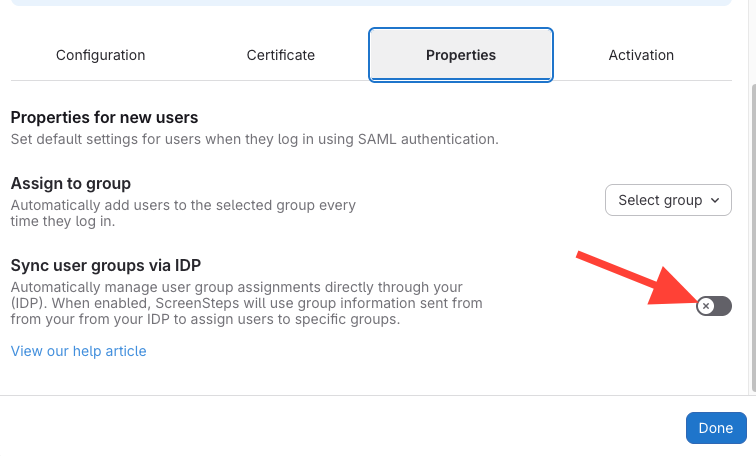
ScreenSteps checks for the following attribute names in the order listed for setting the groups a user belongs to:
http://schemas.xmlsoap.org/claims/Groupshttp://schemas.microsoft.com/ws/2008/06/identity/claims/groups
The attribute can contain one or more <AttributeValue> elements with a group name. In the following example the user would be assigned to the Call Center Agents and Call Center Agent Administrator groups each time they log in.
<Assertion ...>
  <AttributeStatement>
    ...
    <Attribute Name="http://schemas.xmlsoap.org/claims/Groups">
      <AttributeValue>Call Center Agents</AttributeValue>
      <AttributeValue>Call Center Agent Administrator</AttributeValue>
    </Attribute>
    ...
  </AttributeStatement>
</Assertion>
Any groups listed in the attribute will be combined with the group associated with the IDP in the User Properties tab of the IDP configuration in ScreenSteps. In the example above the user would end up being associated with three different groups each time they log in.