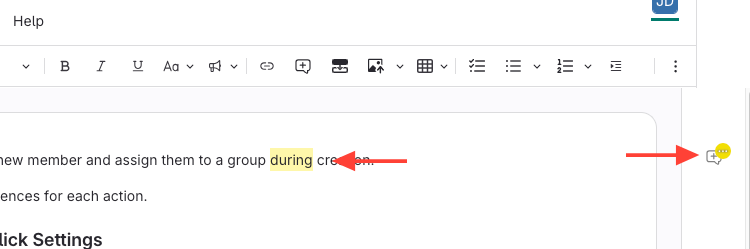
Option 1: Click on yellow text
- Click the highlighted comment OR the comment icon
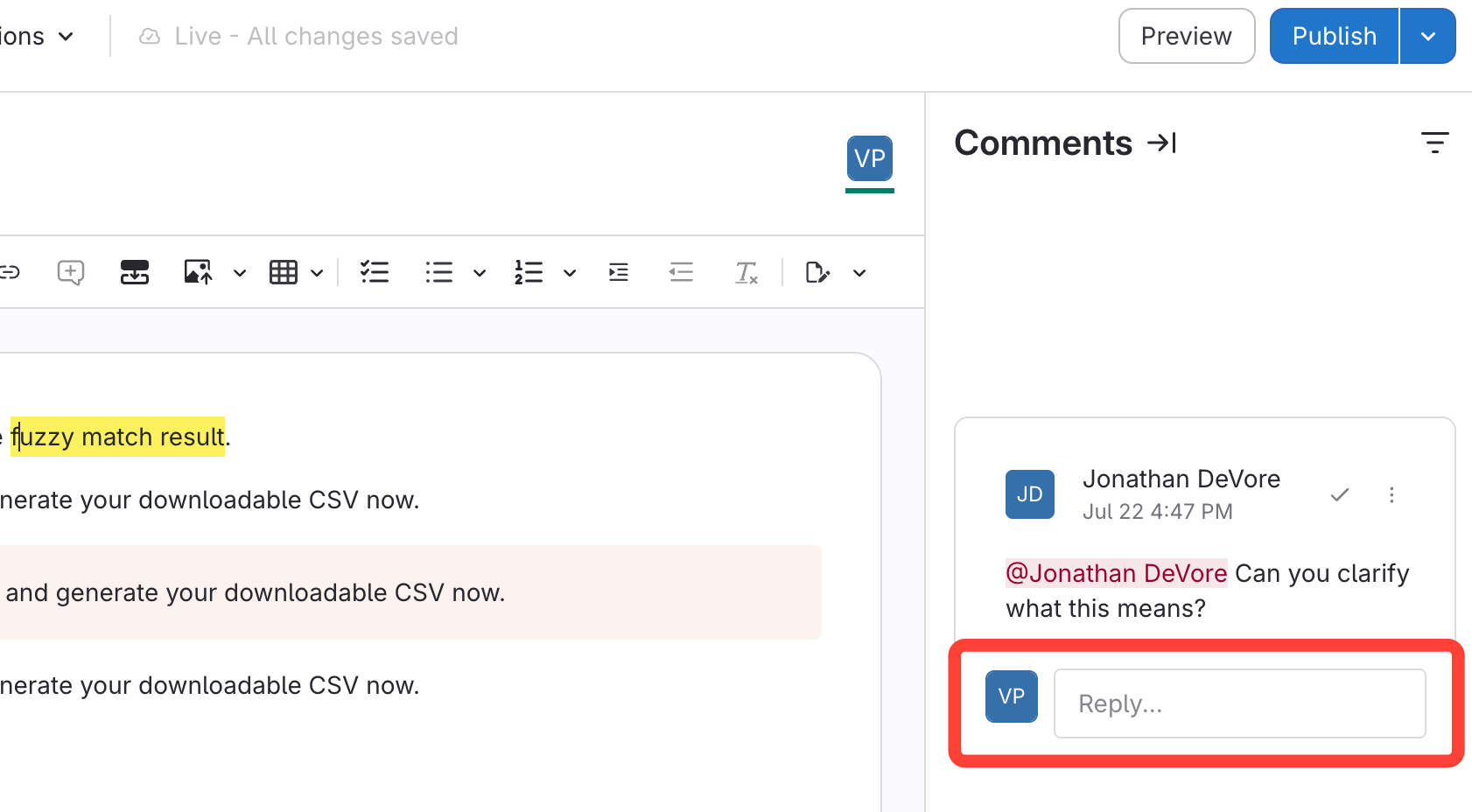
- Enter Your Reply
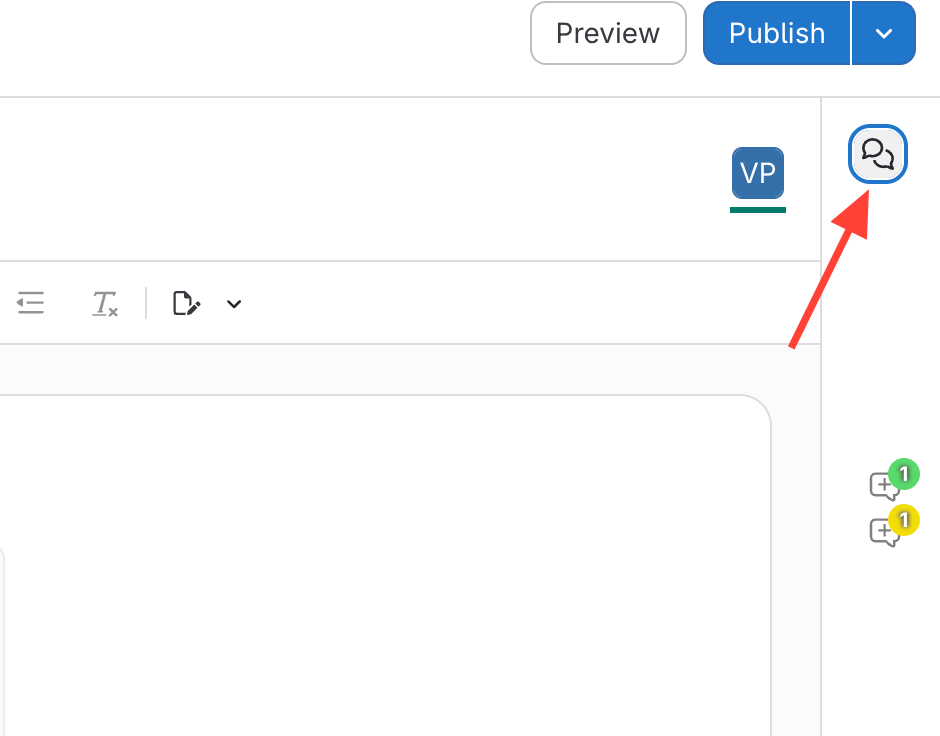
Option 2: Click the Comment Icon
- Click the comment icon on the right side.
This will reveal all comments and track changes.
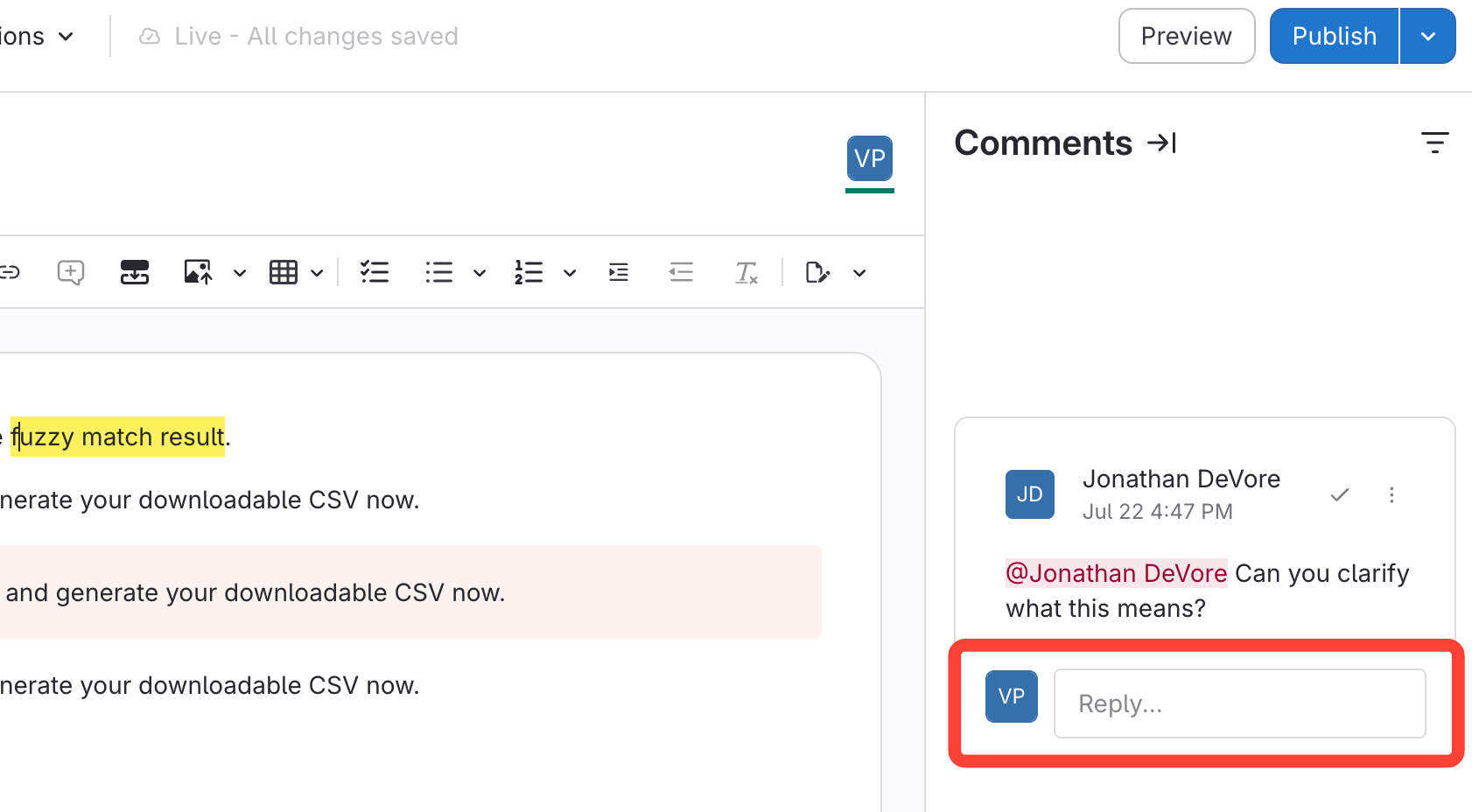
- Enter Your Reply
Updated on
This will reveal all comments and track changes.