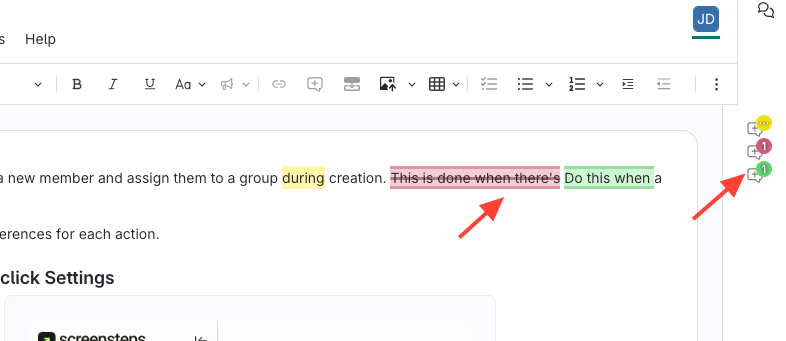
Option 1: Click on green/red text
- Click the highlighted suggestion (i.e. tracked change) in the article
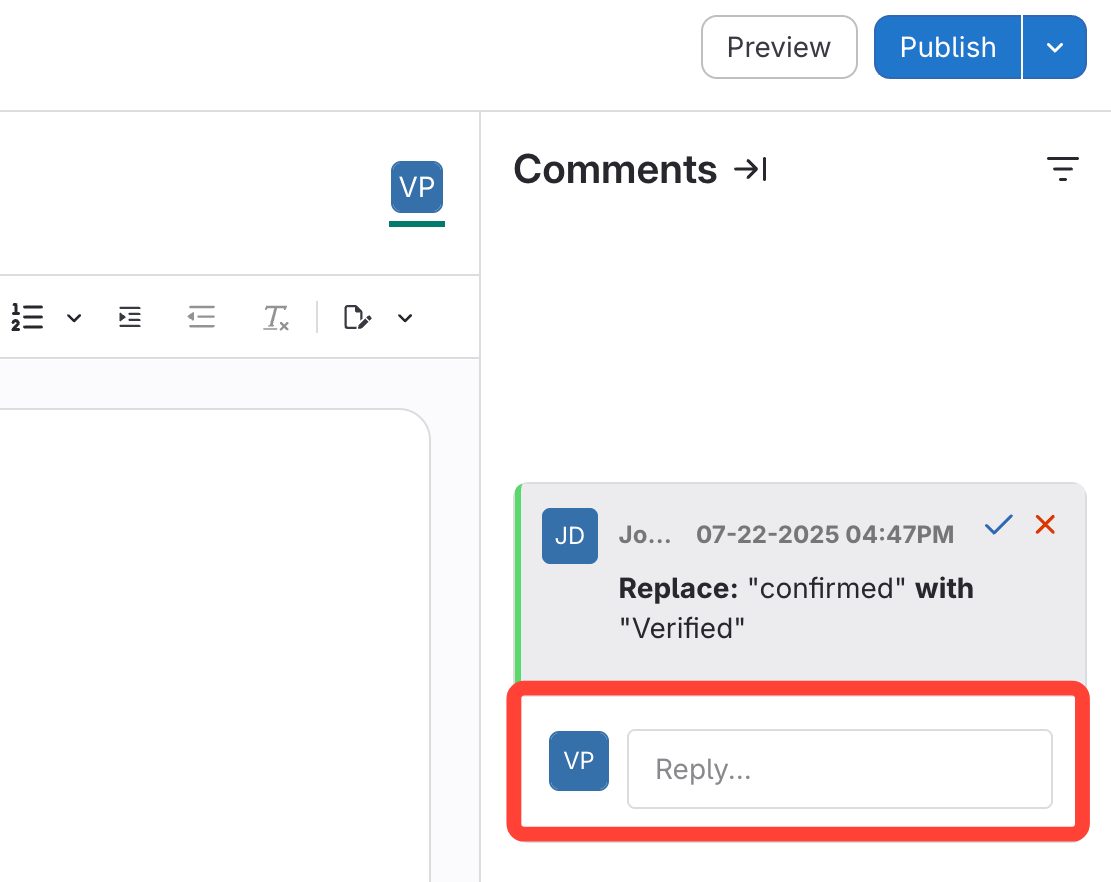
- Enter Your Reply
A summary of the change appears with the reply box below it.
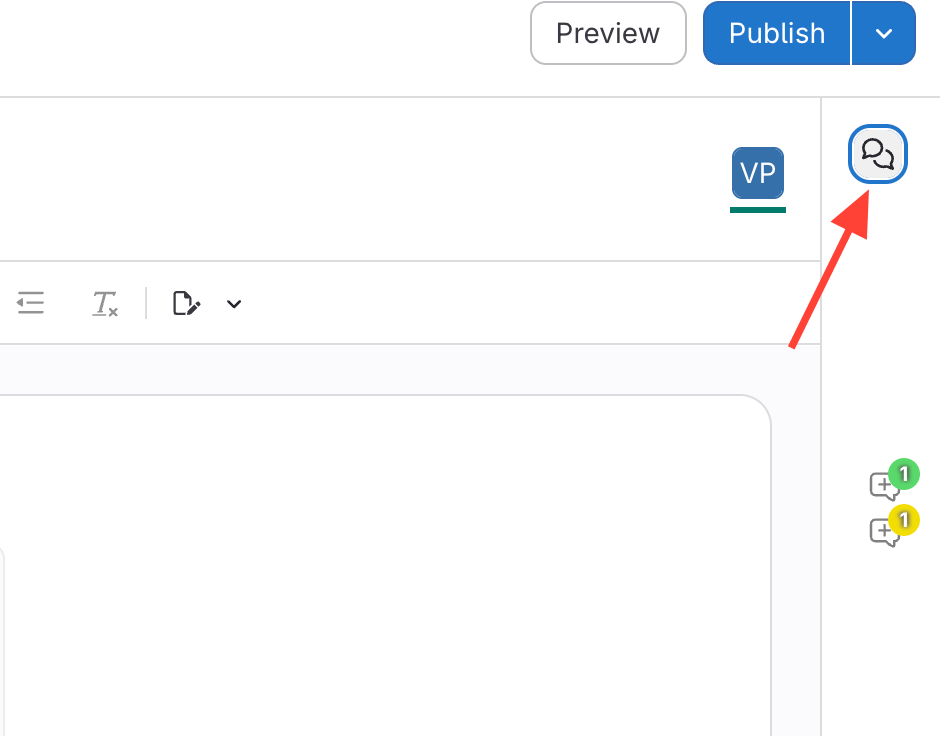
Option 2: Click the Comment Icon
- Click the comment icon on the right side.
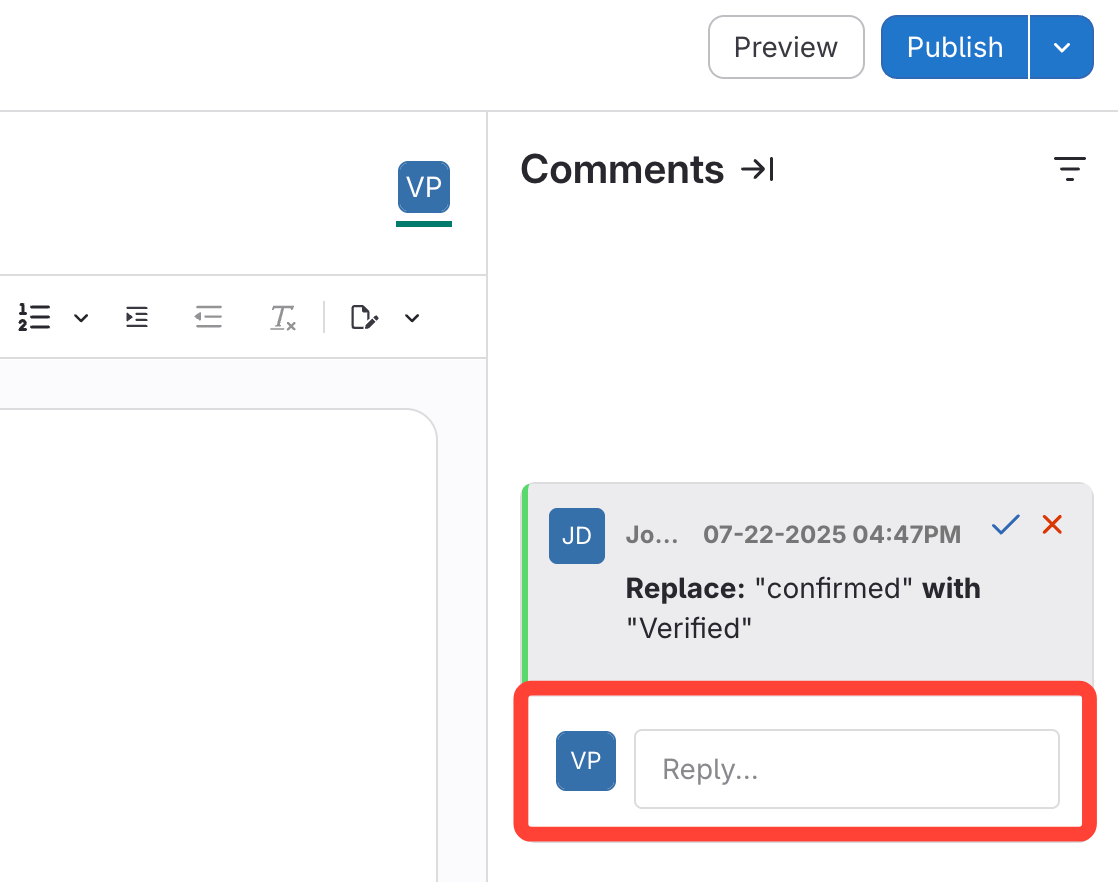
- Enter Your Reply
A summary of the change appears with the reply box below it.