- Open the Article
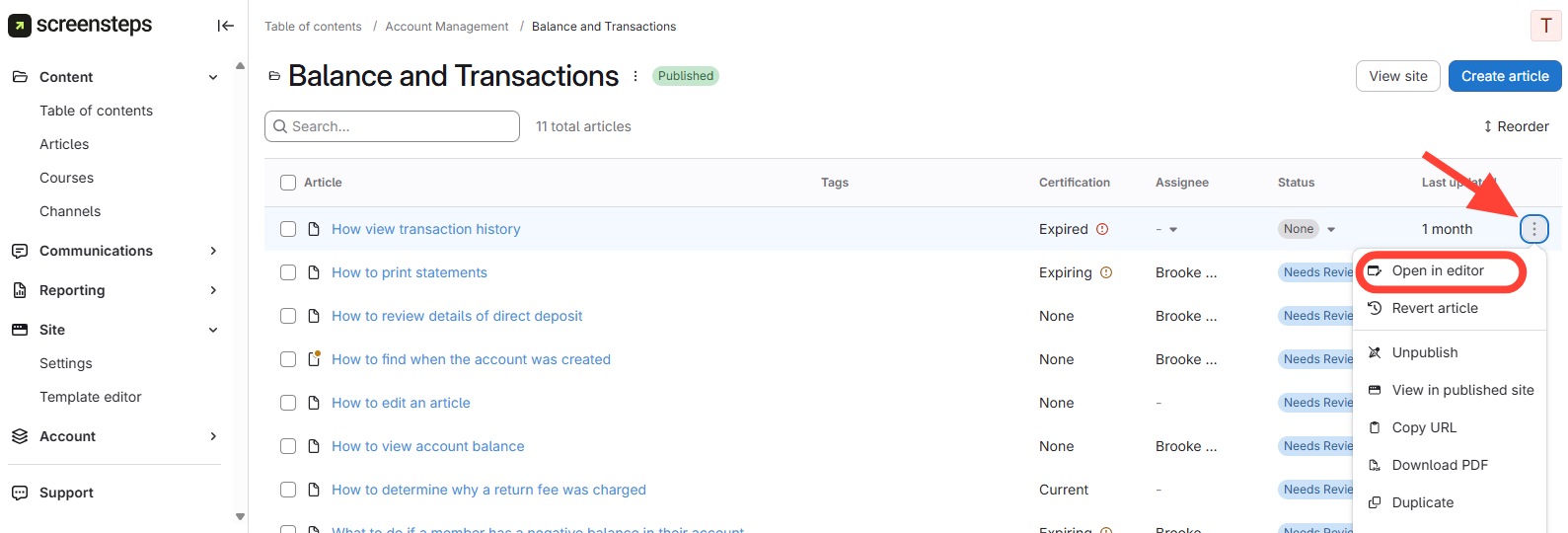
- Click the three dots next to the article title.
- Select Open in Editor.
- Create a Comment
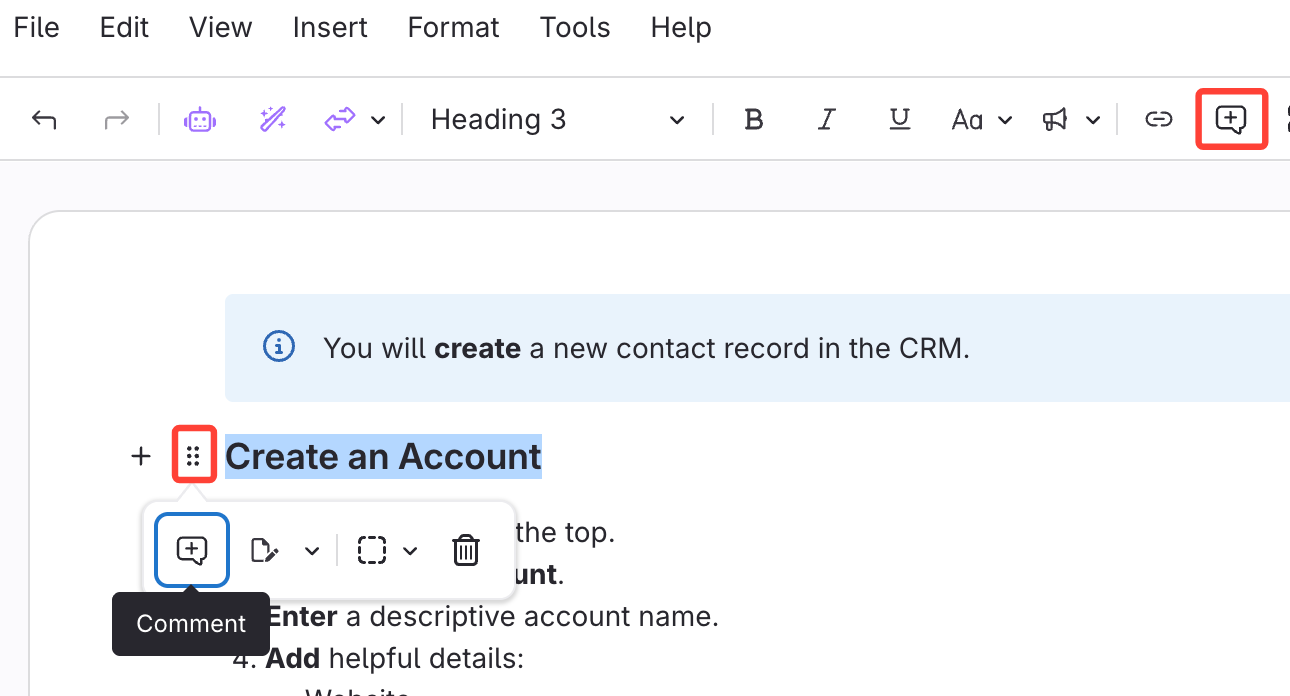
- Highlight the text you want to comment on.
- Add a comment:
- Click the six dots that appear, then select Comment, or
- Click the comment box in the toolbar.
- Write your comment.
- You can tag someone in the comment by using '@'.
- Your comments appear on the right side.
