Viewing the Article List
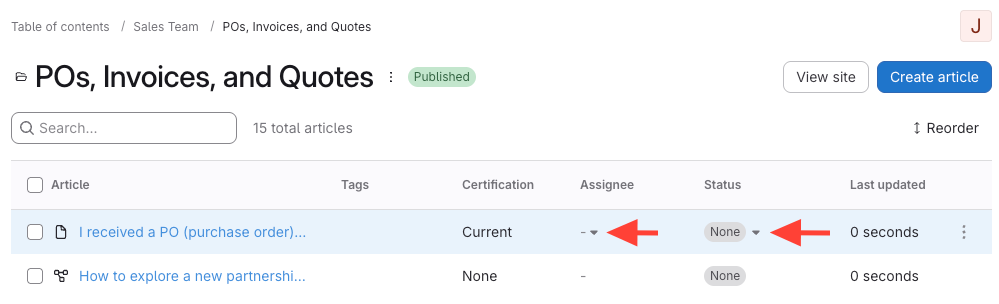
- Hover your mouse on the article > Click the dropdown arrow
- Hover your mouse on the article
- A dropdown arrow appears under Assignee and Status
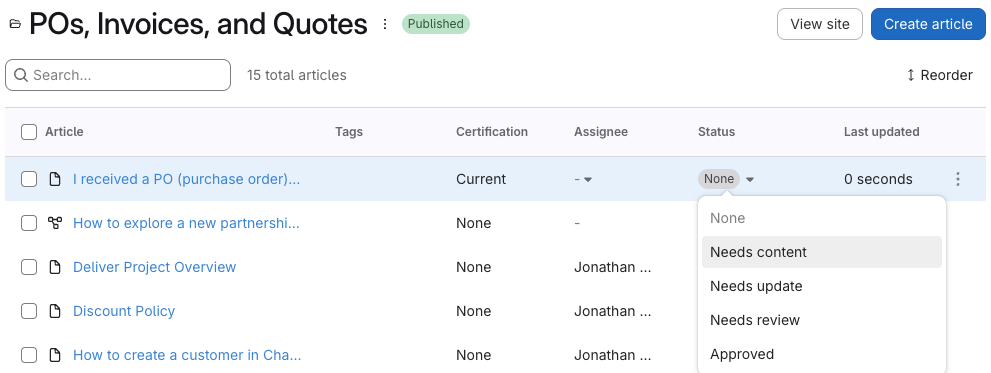
- Select Assignee and/or Status
Viewing the Article Preview
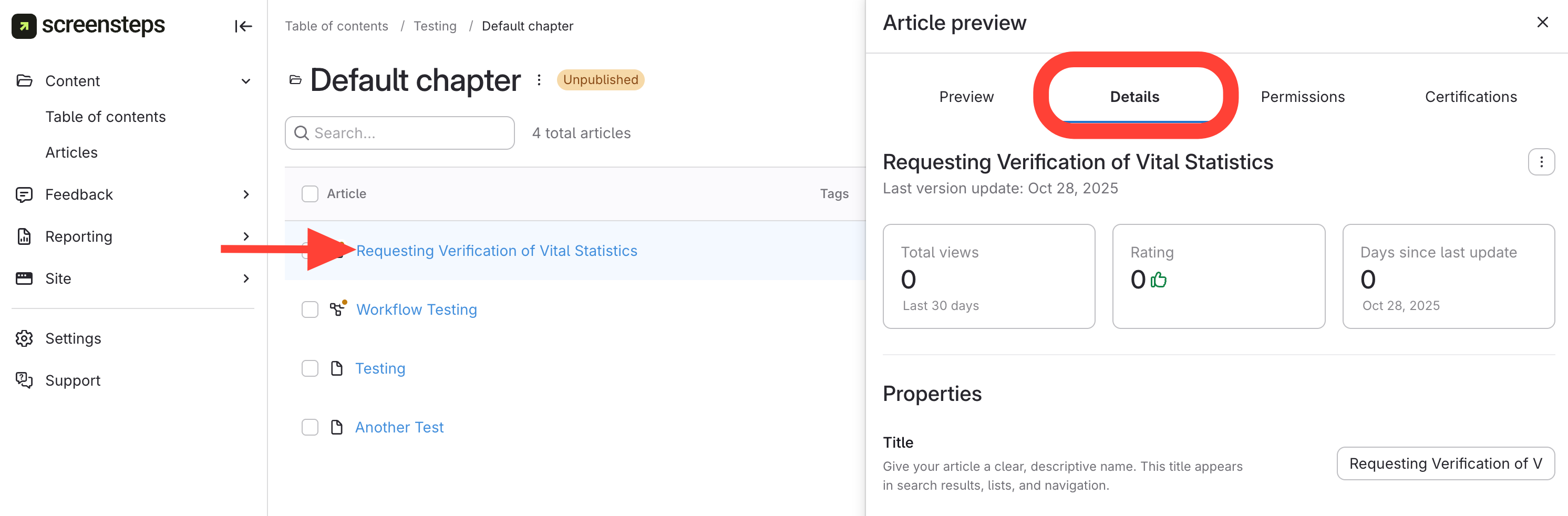
- Navigate to Details Tab in Article Preview
Click the article title.
Select the Details tab.
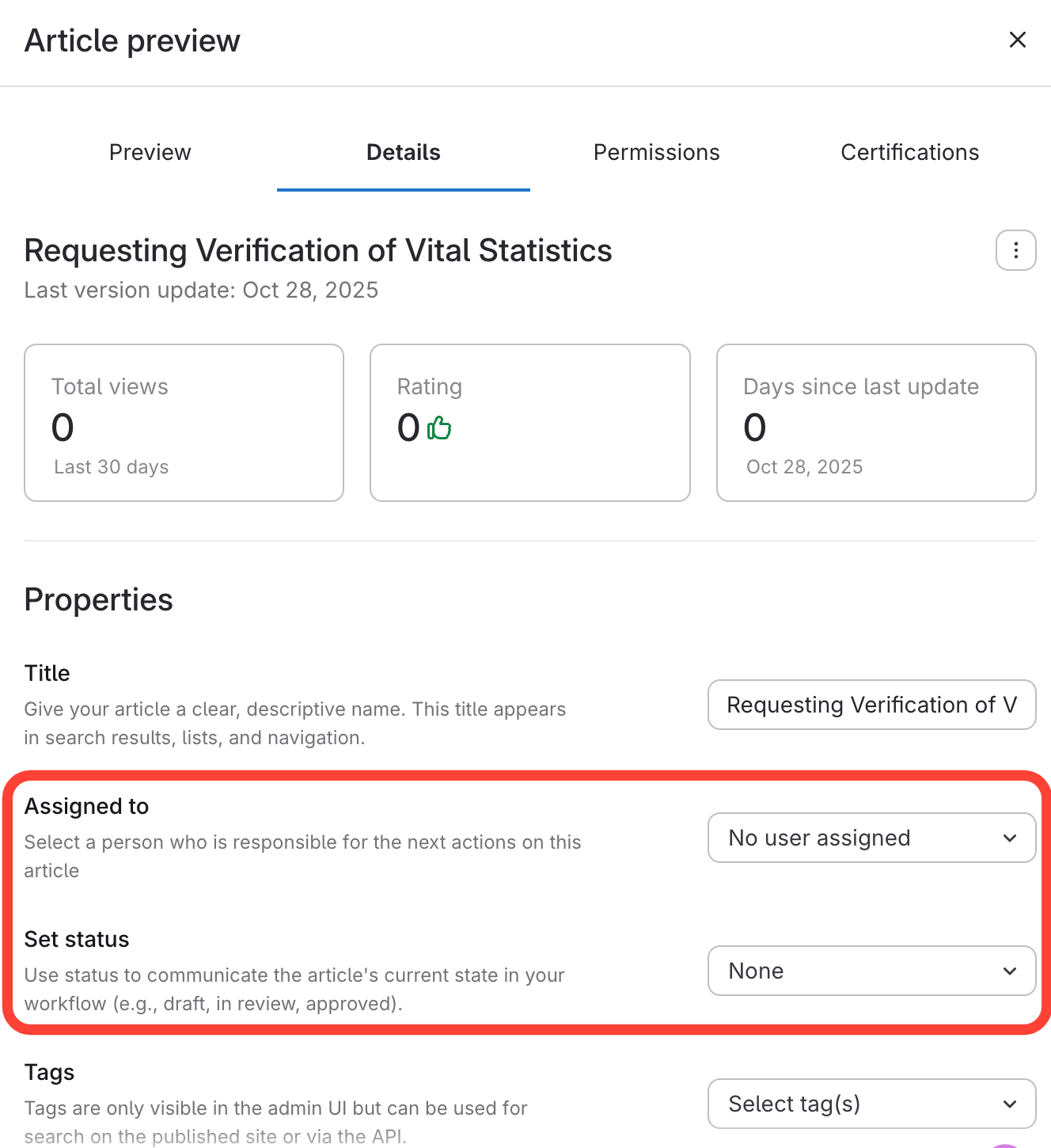
- Assign and set the status of an article
- Find the Properties section.
- Click the Assigned to dropdown,to select a person.
- Click the Set status dropdown, to set the articles current status.