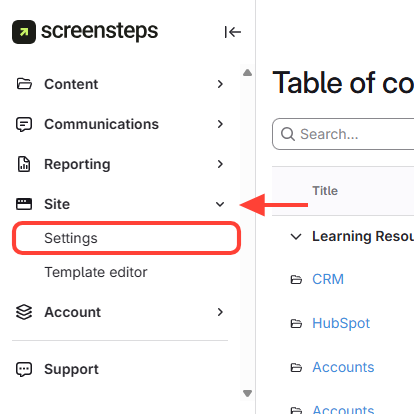
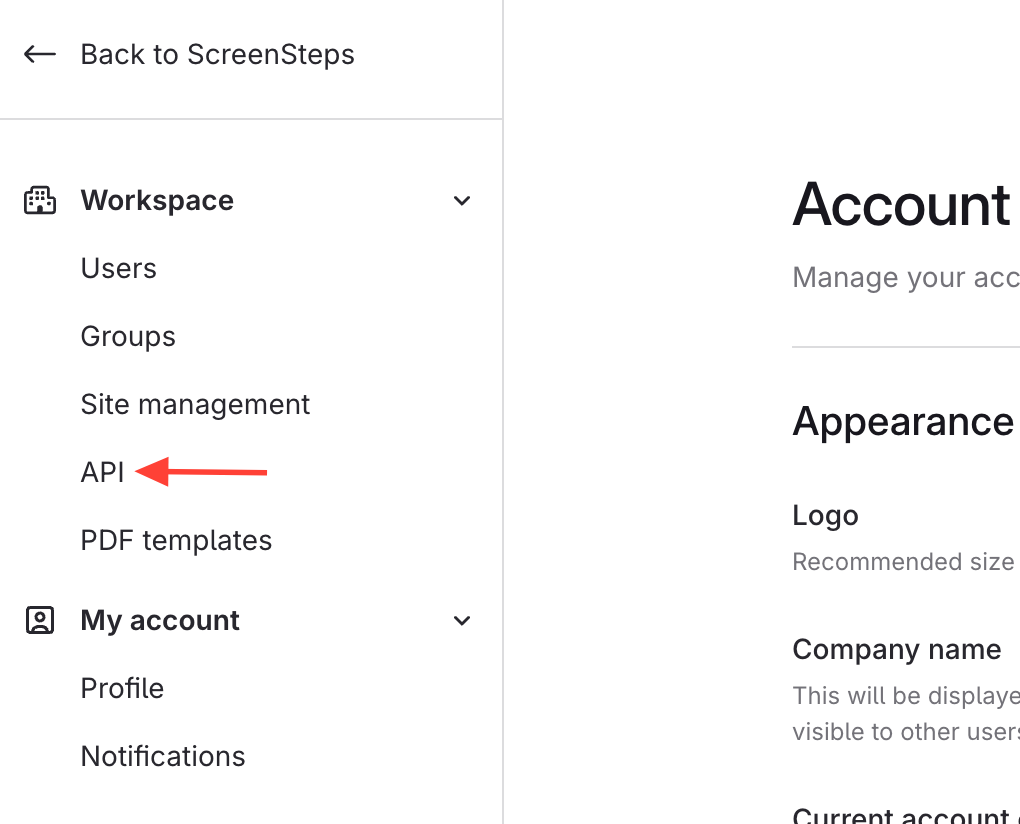
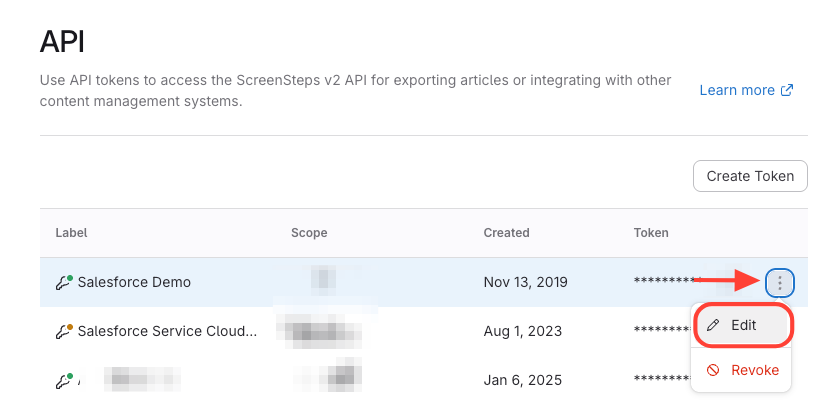
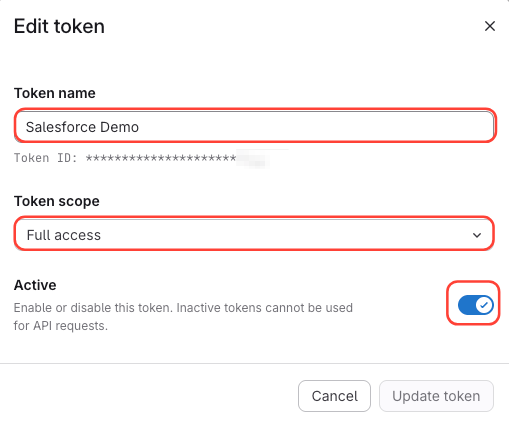
What you will accomplish: You will find your existing ScreenSteps API token and edit it. You can change the token's name, change the scope from Full Access to be specific to a site, or activate or deactivate (i.e. enable or disable) it.
If you have not yet generated an API Token, check out this article: How to Generate a ScreenSteps API Token
- API Tokens can only be used with admin or contributor user accounts.
- Do not use API tokens in a situation where the resulting authorization string can be seen by the public.