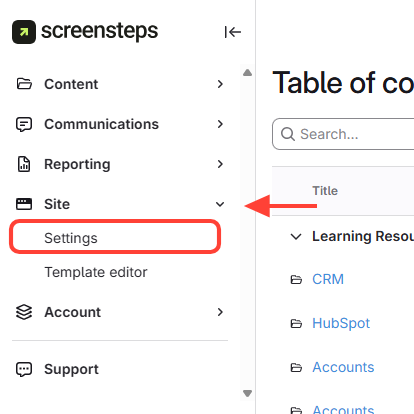
- Go to Settings
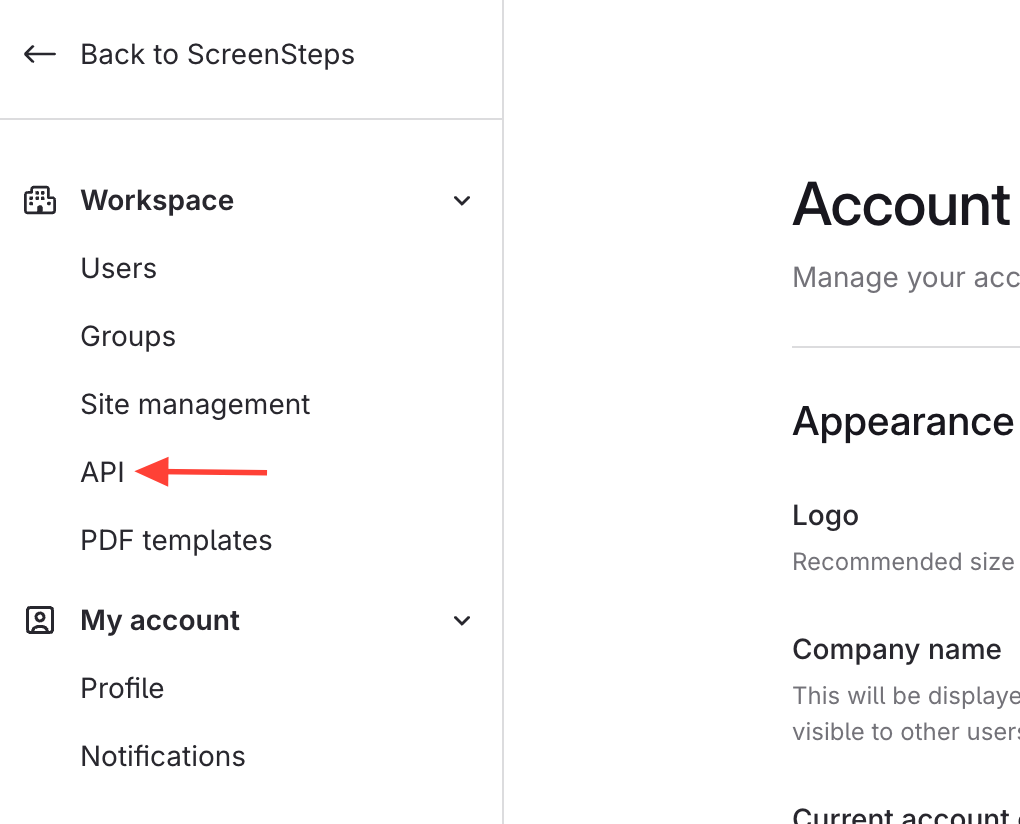
- Click on API
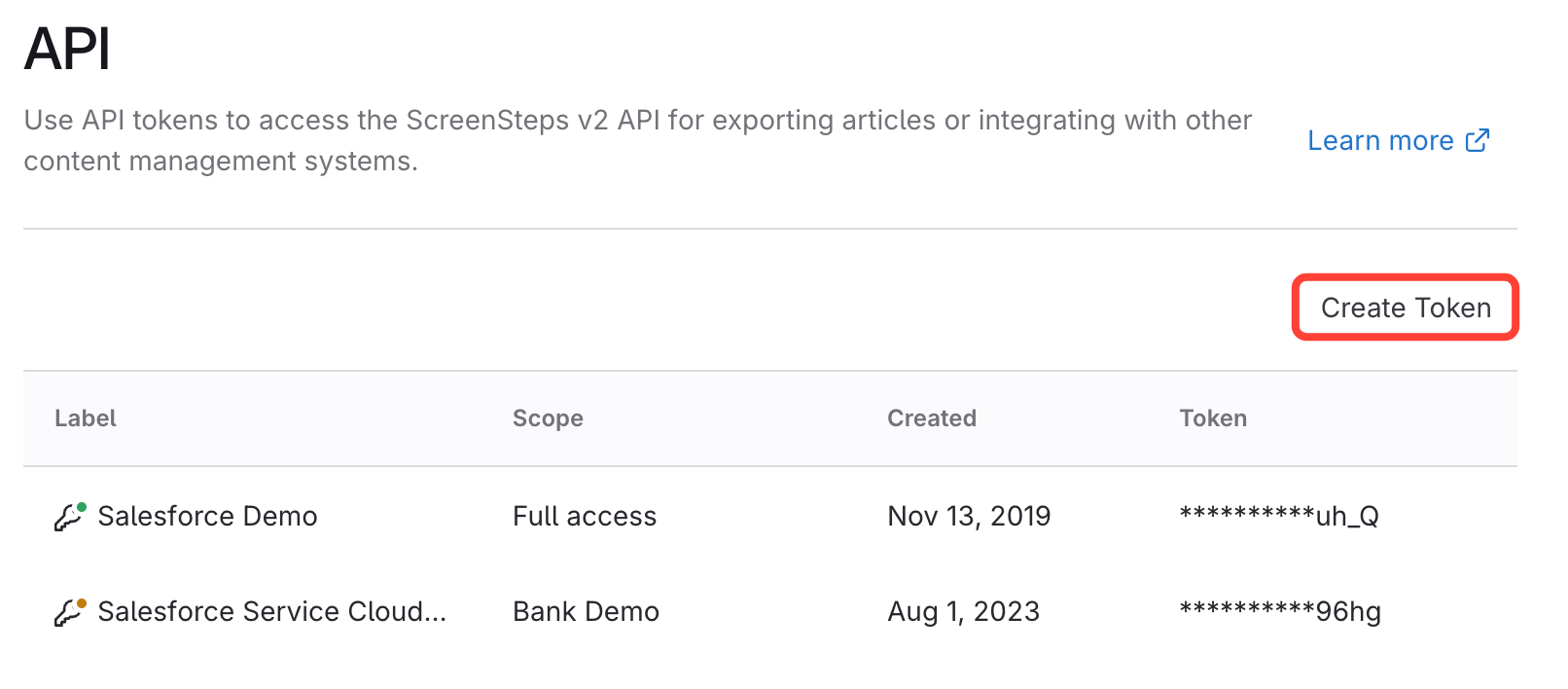
- Click Create Token
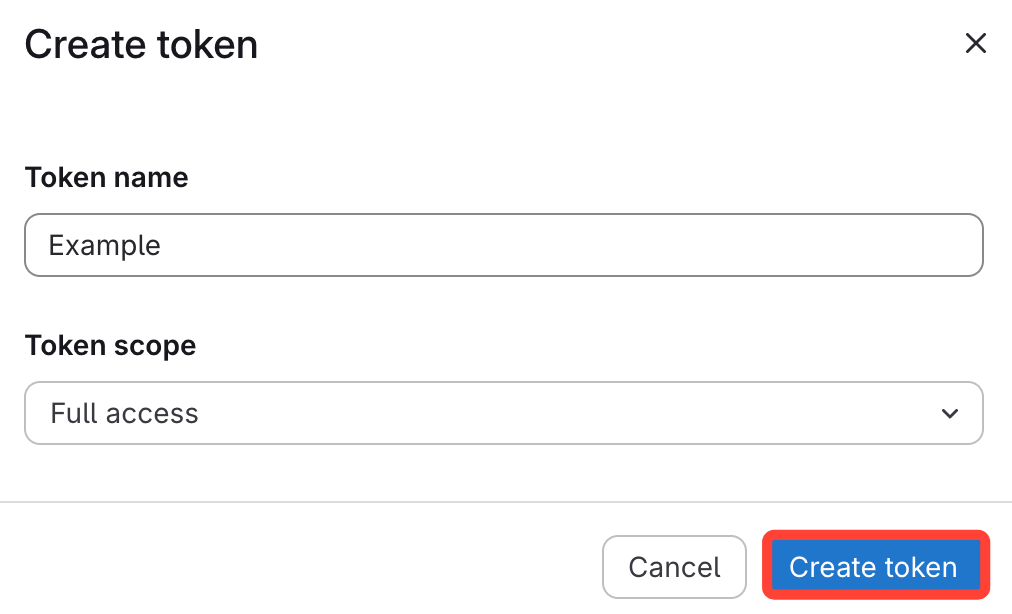
- Fill in Required Fields and Create Token
- Enter a token name.
- Select a token scope:
- Full access – access to all sites
- Specific site – access to one site
How to Generate a ScreenSteps API Token
Updated on
Updated on