Skip to content
ScreenSteps Help
Search guides and tutorials...
ScreenSteps Help
/
PDFs
/
Getting Started with PDFs
How to generate a PDF for a manual
Updated on
May 14, 2026
Open your live site
Select the manual
Click
on the manual you want to download.
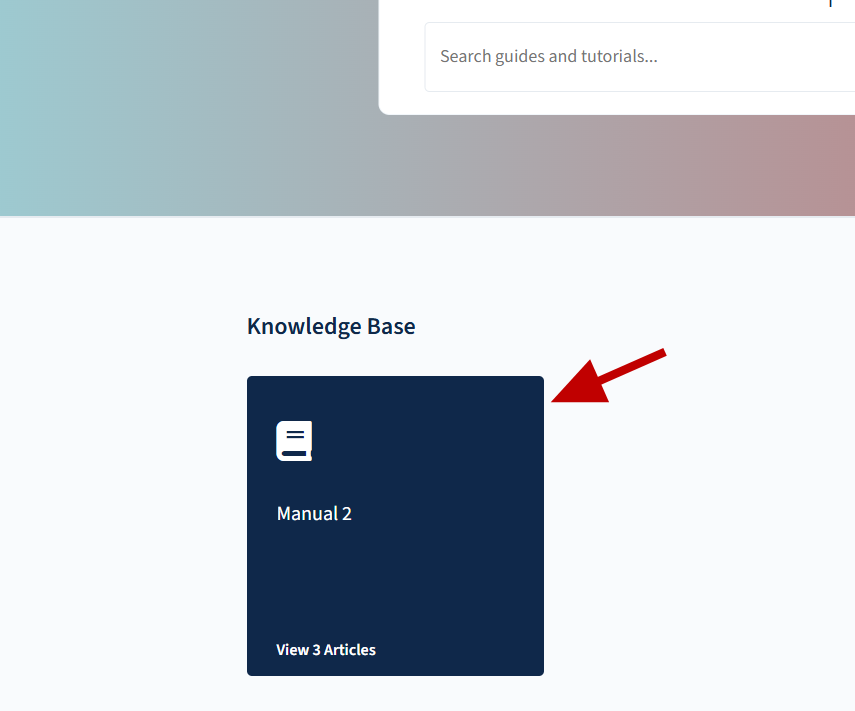
Generate the manual PDF
Click
generate manual PDF.
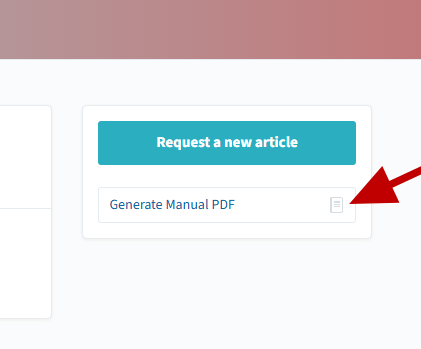
Checklist item
Previous Article
Who Can Edit PDF Templates?
Next Article
Checklist item
Custom CSS recipes for PDF templates
PDFs
Getting Started with PDFs
8
How to Download a PDF Version of your Article from the Web Browser Application
How to Choose a Specific PDF Template for a Site
How to Create a PDF Template
How to Delete a PDF Template
How to Choose a Specific PDF Template for a Manual
An Overview of PDFs in ScreenSteps
Who Can Edit PDF Templates?
How to generate a PDF for a manual
Managing PDF Templates
7
Custom CSS recipes for PDF templates
How fonts in PDF templates work
How to Add a Logo to a PDF Template
How to use variables in a PDF template to insert dynamic content
How to customize the HTML used for article and manual templates
Where can I find PDF templates?
How can I change where page breaks appear in PDF documents?
Other Resources
Getting Started
Organizing ScreenSteps
Managing Articles
Authoring Content
Working with a Team of Authors
Customize Your Site
Admin Tasks
User and Group Permissions
Authentication (SSO, SCIM, SAML, Usernames, Passwords)
Accessibility
Migrating from Legacy to New ScreenSteps
Integrations
Notifications
Browser Extension (Contextual Help)
FAQs
Courses
Print Article