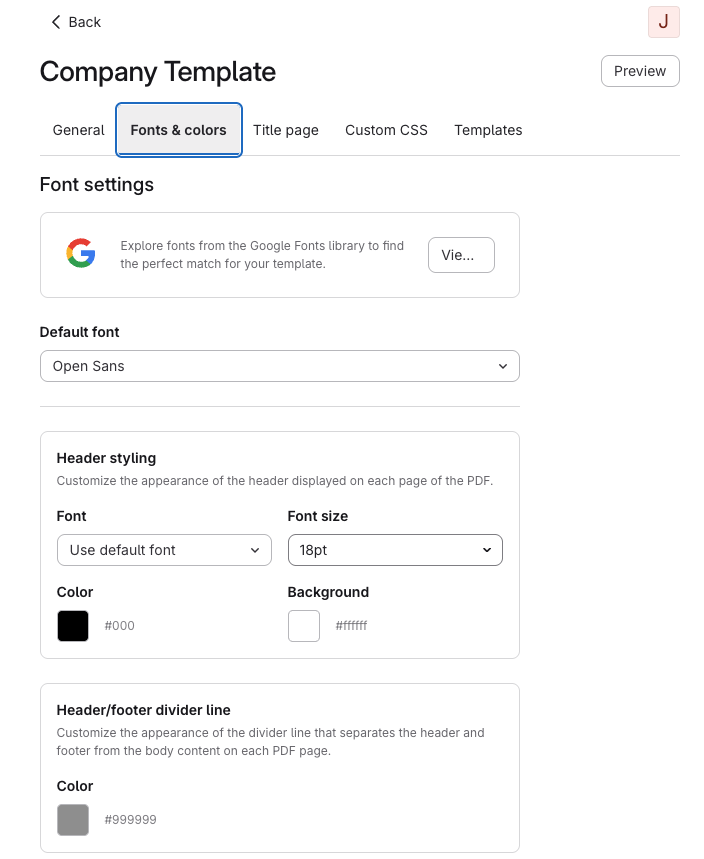
Navigate to the Fonts & Colors tab
From the Fonts & Colors tab you can configure font settings for your PDF template.
If you are not familiar with Google Fonts, click on the Preview fonts on fonts.google.com button to see what the various fonts look like.
The Default Font is the font that will be used unless you specifically choose another font for a specific part of the PDF document. For example, in this screenshot the Header, T of C Title, and Chapter Title will all inherit the default font because no specific font has been selected.
Select colors and font sizes for the text in your PDF document.