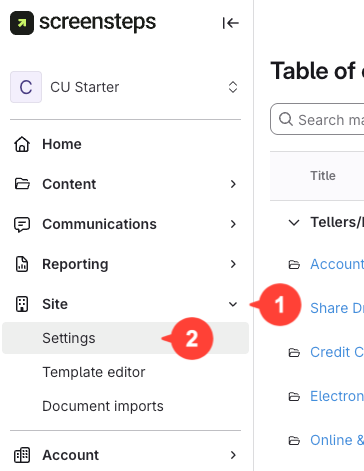
- Navigate to site settings
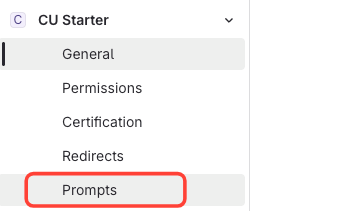
- Click Prompts
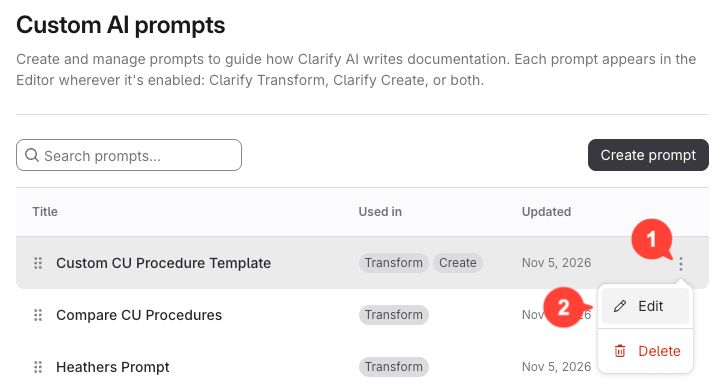
- Edit the custom prompt
- Click the action menu next to your custom prompt
- Click Edit
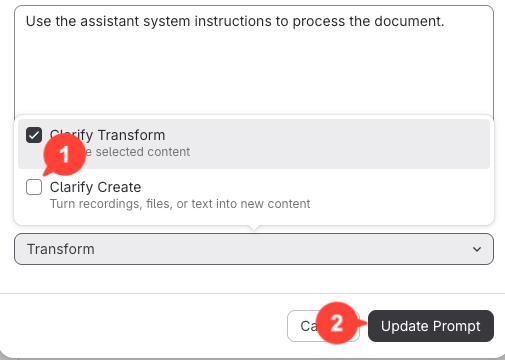
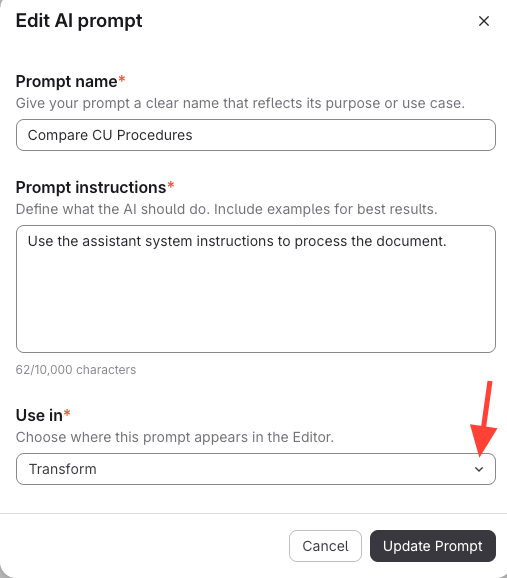
- Click the drop-down at the bottom.
- Enable for Clarify create
- Check the box to include the prompt in Clarify create.
- Click Update Prompt.