Skip to content
ScreenSteps Help
Search guides and tutorials...
Search guides and tutorials...
ScreenSteps Help
/
Where is my site's ID?
Updated on
Feb 04, 2026
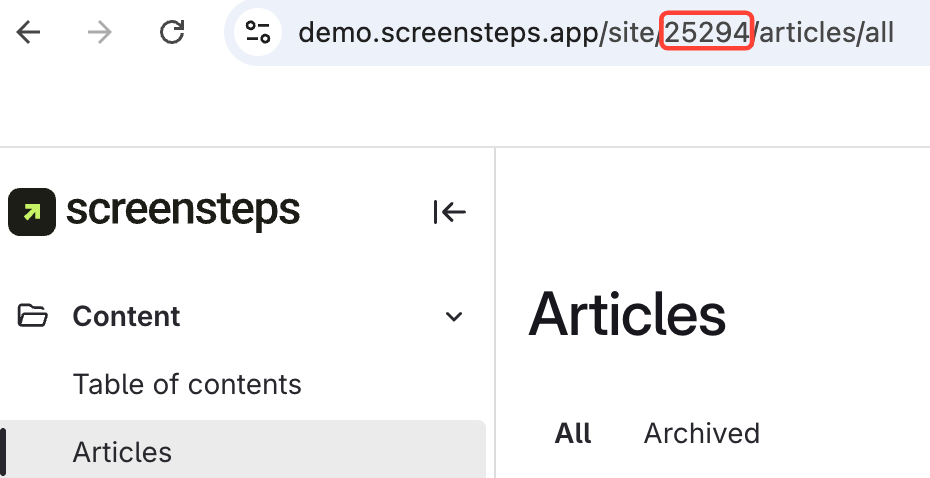
Option 1: Find Site ID in the URL
Look
at your site's URL.
Find
the number in the URL; this is your site ID.
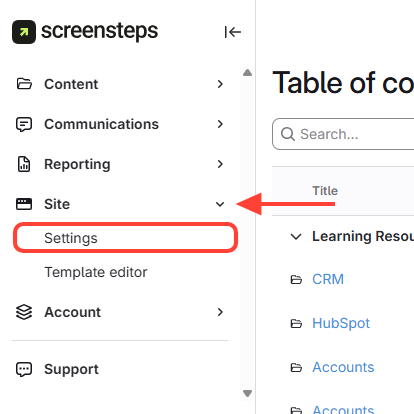
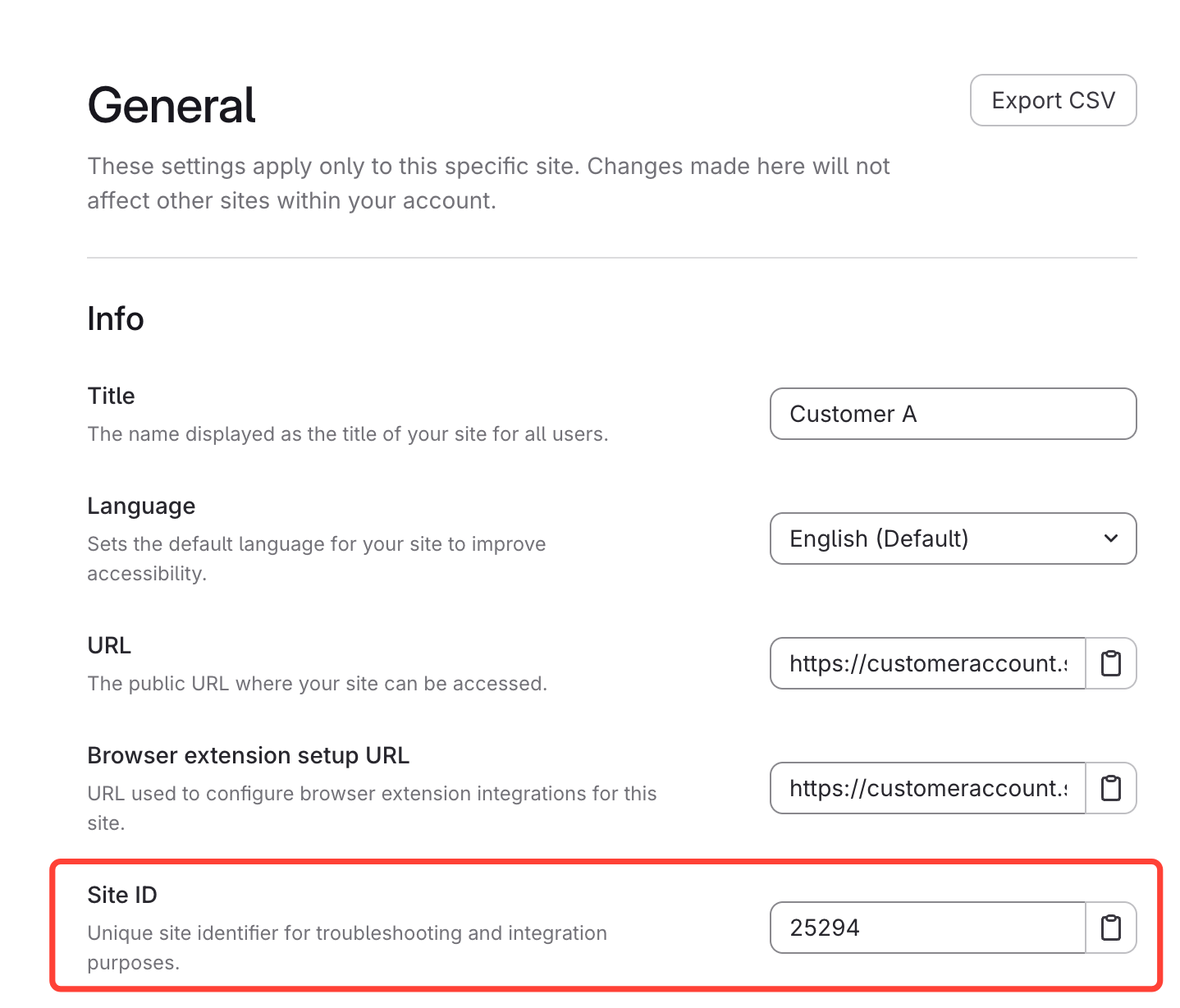
Option 2: Find Site ID in Site Settings
Under Site, Open Settings.
Navigate to your Site ID under General.
Other Resources
Getting Started
Organizing ScreenSteps
Managing Articles
Authoring Content
Working with a Team of Authors
Customize Your Site
PDFs
Admin Tasks
User and Group Permissions
Authentication (SSO, SCIM, SAML, Usernames, Passwords)
Accessibility
Migrating from Legacy to New ScreenSteps
Integrations
Notifications
Browser Extension (Contextual Help)
FAQs
Courses
Print Article