- Go to the admin site.
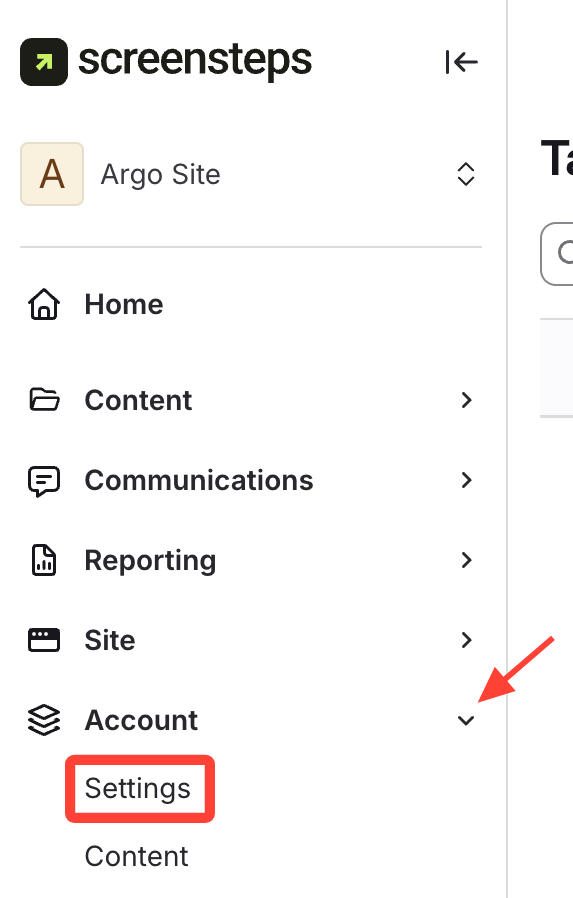
Click Account on the left menu and Select Settings.
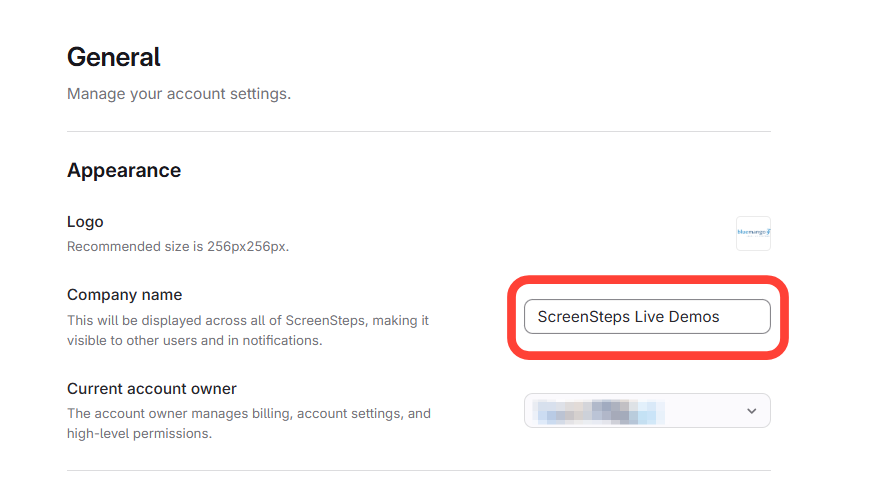
- Find the Company Name field under Appearance in the General section.
Enter the new account name.
How to Rename a ScreenSteps Account
Updated on
Updated on
Click Account on the left menu and Select Settings.
Enter the new account name.